# 100days Ticker sign ups
How to view the people on your local group (or nation/region) email list who have signed up to April 2023.
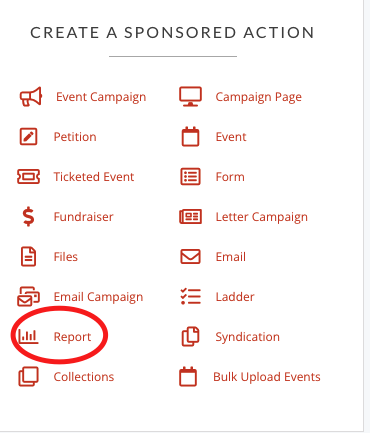
##### 1. **Click on a Report**
[](https://rebeltoolkit.extinctionrebellion.uk/uploads/images/gallery/2022-02/report.png)
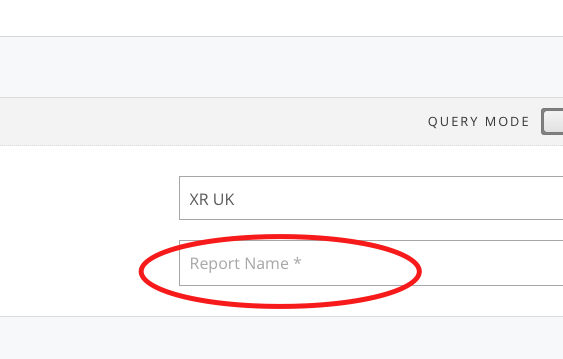
##### 2. **Name your report**
[](https://rebeltoolkit.extinctionrebellion.uk/uploads/images/gallery/2022-02/reportname.png)
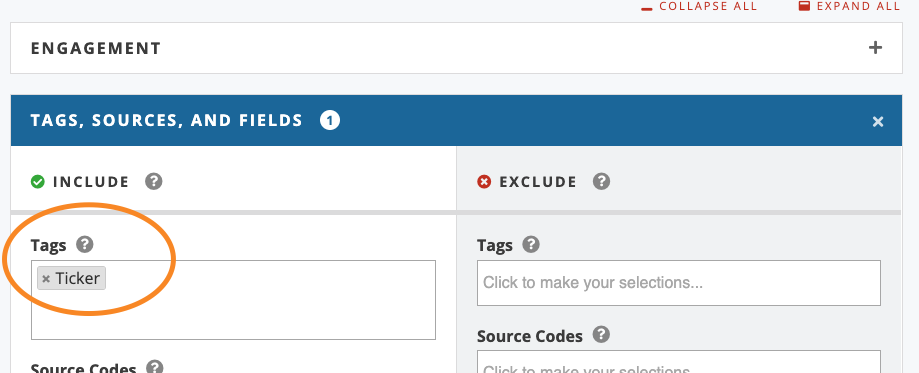
##### 3. **Target the report with a tag**
First close the first option bar
[](https://rebeltoolkit.extinctionrebellion.uk/uploads/images/gallery/2022-11/image-1668714882903.png)
Open the next option bar
[](https://rebeltoolkit.extinctionrebellion.uk/uploads/images/gallery/2022-11/image-1668714911047.png)
Then pick the tag called 'Ticker'
[](https://rebeltoolkit.extinctionrebellion.uk/uploads/images/gallery/2022-12/image-1671457172794.png)
##### 4. **View your Activists**
Go to the bottom of the report and click 'save and select data', then pick which fields you want to view (those already chosen for you will probable be fine), then click 'save and get results'
This should show you everyone who is on your email list who has ALSO commited to 'The Big One', the April 2023 date.
Remember, if you use the report again, you should click 'Refresh Targeting'.