# 13. Action Network Email creating mode with Drag and Drop Option
Creating a Donate Button on Emails in Action Network
URL to use for donations for The Big One (updated on 10/01/2023):
https://chuffed.org/project/thebigone
URL to be used for Extinction Rebellion UK Fundraiser (updated on 01/12/2022):
https://chuffed.org/xr/uk
In Email creating Mode with Drag and Drop Option on:
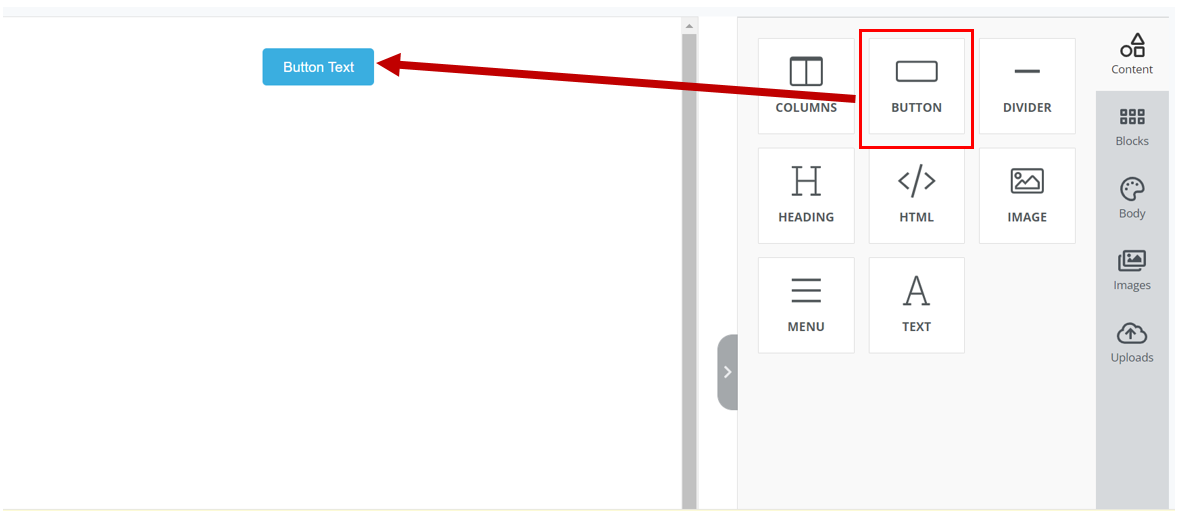
1. Click on the Square that states ‘Button’ and move it into the bigger square to the left.
[](https://rebeltoolkit.extinctionrebellion.uk/uploads/images/gallery/2022-12/1-image.PNG)
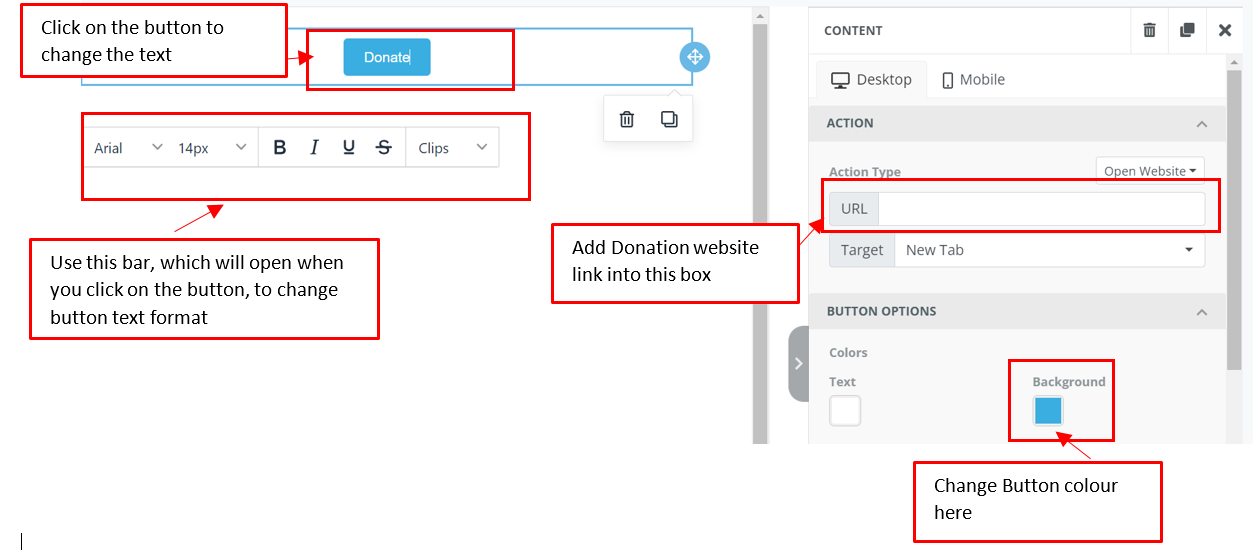
2. Click on the Button in the right Window. This will enable you to change the text in the button, and a URL link, change colour and form of the button
[](https://rebeltoolkit.extinctionrebellion.uk/uploads/images/gallery/2022-12/2-image.PNG)