
 **WhatsApp** |
  **Telegram** |
  **Mattermost** |
  **Signal** |
| ---: | :--- | :--- | :--- | :--- |
| **Security** |
**Signal** |
| ---: | :--- | :--- | :--- | :--- |
| **Security** |  | |
| |  |
|  |
| **Accessibility** |
|
| **Accessibility** |  | | | |
| **Features** | | | | |
| **Discoverability** | | | | |
Ultimately which tool you decide to go with comes down to what you and
the other people in your group are comfortable with. However, our
recommendations can be summarised as:
**If your group\...**
- **\...organises lots of different things at once**
Use Mattermost. The extra features and discoverability should
really help to make your group more productive.
- **\...organises a lot of actions**
Use Mattermost combined with Signal for the added security. Also don't forget to enable disappearing messages.

# WhatsApp
WhatsApp is a hugely popular messaging app with over [2 billion
users](https://backlinko.com/whatsapp-users). It's easy to use and the
vast majority of rebels will already have it installed on their phones.
Does this make it a good fit for your XR group?
## Security
Despite being end-to-end encrypted, WhatsApp has a number of serious
security issues that make it a poor choice for serious organisation in
XR. To start with, it is owned by Facebook, a company whose income
depends on collecting people's personal information. You can read
WhatsApp's [privacy
policy](https://www.whatsapp.com/legal/updates/privacy-policy-eea) to
get an idea of the sorts of information that they are collecting.
Another serious and often overlooked security issue with WhatsApp is
that its end-to-end encryption often does not work. Most WhatsApp users
enable an option called 'Chat Backup' so they can recover their messages
in case they lose their phone. If this option is enabled, for even a
single person in a WhatsApp group, then that means that all of the
group's messages will be stored, unencrypted, on either a Google or
Apple-owned server, freely accessible to the authorities.
**Verdict:** 
## Accessibility
WhatsApp has a lot in common with other messaging apps so it is usually
quite straightforward for rebels to learn how to use it. However, in
order to sign up to WhatsApp you need a smartphone, which not all rebels
will have access to. In order to use WhatsApp on a computer, the
smartphone that it's linked to must be connected to the internet
continuously, which is a hindrance.
**Verdict:** 
## Features
You can\'t save messages for later or mark them as unread so you constantly
lose key info and can\'t find it again. The message
box is small and you can\'t thread effectively so it is difficult to keep track of a
conversation.
**Verdict:** 
## Discoverability
Within WhatsApp, group admins can create and share links that rebels can
follow to sign up to the group. This provides a quick and easy way to
invite new people. However, unless this link is published somewhere for
rebels to find, it is impossible to find the group to join in the
conversation.
**Verdict:** 
## Other information
Another issue with WhatsApp is that many people use it to speak to
friends and family. Having XR-related chats on the same platform can put
unnecessary stress on rebels who might want to temporarily 'switch off'
XR communications in order to avoid burnout.

# Telegram
Telegram is a great messaging app filled with features. In particular it
has broadcast channels which can be fantastic for sharing information
widely. But is it suitable for group chats?
## Security
Although Telegram's
[website](https://telegram.org/faq#q-how-secure-is-telegram) would have
you believe otherwise, Telegram actually provides the worst security out
of all the apps being compared here
([source](https://www.makeuseof.com/telegram-security/),
[source](https://hackernoon.com/7-reason-why-telegram-is-insecure-by-design-but-millions-still-flock-to-it-ignoring-privacy-concerns-qq1o344c)).
One of the reasons why this is the case is because **Telegram group
chats are not end-to-end encrypted**. Telegram does allow users to have
[secret](https://telegram.org/faq#secret-chats) chats with
[self-destructing
messages](https://telegram.org/faq#q-how-do-self-destructing-messages-work).
However, this is not available for group chats so all of the messages
that you send to a group chat will be stored on a server somewhere
accessible to the authorities.
Another serious problem with Telegram's security is that **messages are
sent using Telegram's own [private encryption
protocol](https://core.telegram.org/techfaq#q-why-did-you-go-for-a-custom-protocol)**,
as opposed to something used more widely. This means that it has not
been as thoroughly tested and many [security
vulnerabilities](https://portswigger.net/daily-swig/amp/multiple-encryption-flaws-uncovered-in-telegram-messaging-protocol)
have been exposed in the past.
**Verdict:** 
## Accessibility
Telegram is one of the most accessible apps available. You don't need a
smartphone to sign up, just a phone number, and it can be used on
[practically any
device](https://telegram.org/faq#q-which-devices-can-i-use).
**Verdict:** 
## Features
You can\'t save messages for later or mark them as unread so you constantly
lose key info and can\'t find it again. The message
box is small and you can\'t thread effectively so it is difficult to keep track of a
conversation. It\'s limited in terms of formatting messages and if you
want to broadcast and add an image there\'s a character limit so you
have to be able to either fit your message into that limit or miss out
key info.
**Verdict:** 
## Discoverability
Telegram has some excellent features that make group chats easy to find
and join. Like Signal and WhatsApp, users can share a link to the chat
that people can use to join it. However, you can also search for public
Telegram channels from inside Telegram. This makes it easy to find and
contact broadcast groups but can also lead to spam since anyone can join these channels - even if they are not a member of XR.
**Verdict:** 

# Mattermost
Mattermost is the messaging app that has been specially set up by XR for
rebels to collaborate with each other. It is quite different to the
other apps being discussed because it is designed to be used by teams in
a workplace as well as for personal communications. Unlike the other
tools, it also exclusively runs off of [renewable
energy](https://datacenterlight.ch/en-us/cms/hydropower/).
## Security
Mattermost takes quite a different approach to security than the other
apps. Instead of employing tactics such as end-to-end encryption and
self-deleting messages, Mattermost prevents the authorities from
accessing your group's messages by storing them on our own secure
server.
The best thing to do to protect ourselves and XR is to use a process called **'Air-gapping** and is broadly used in gov agencies, military and corporate sectors. It's a trick they don't want us activists to know and use! Air-gapping simply means we communicate any action planning and organising using a **private** Mattermost channel and then send specific details such as car registrations, credit card numbers and addresses using an app that is end-to-end encrypted and has self-deleting messages (Signal is best). This creates a gap between the planning and those specific details and ensures that if an adversary manages to get their hands on one account, they don't have all the pieces of the puzzle to sabotage an action, nor pair up individuals with a particular action plan, nor put faces to words with intent to commit crime (etc).
Another great advantage to using Mattermost is that if rebels ever get
arrested, they can have their [accounts temporarily
suspended](https://rebeltoolkit.extinctionrebellion.uk/books/online-tools-for-communicating-with-other-rebels/page/compromised-account-procedure)
so the police would not be able to read any messages even if they took a
rebel's phone. Once the rebel gets out of custody they can then have
their account reactivated.
**Verdict:** 
## Accessibility
You do not need a smartphone to sign up - only an email address - and
you can easily use it on any device unlike some other apps (e.g.
WhatsApp) that only work if linked to your phone.
If you have a computer it is very easy to use since you don't have to
install anything - just use your browser. This also means that the
messages can be easily read on a larger screen.
**Verdict:** 
## Features
Mattermost has by far the most features out of the apps being compared.
It is specifically designed for use by teams, as opposed to personal
messaging, and so has a number of advantages over the other messaging
apps.
For example, in Mattermost [chats are
organised](https://rebeltoolkit.extinctionrebellion.uk/link/394) into
teams, public channels, private channels, and direct messages. This
makes it easy to navigate between different chats. Also, Mattermost has
a much better way to handle multiple conversations happening in the same
channel at once. Whilst the other apps allow you to quote reply to
individual messages, Mattermost has threaded conversations so you can
see the full history.
You are also able to **save messages** for yourself which makes finding links and key info much easier, **mark messages as unread** to revisit later, **Pin** important messages so other people in the chat can find them easily and **store regularly used links such as Minutes and meeting links in the channel Header** for everyone to use removing the need to bookmark/store those links on personal devices.
Writing messages in Mattermost is also more powerful. Not only are you
able to edit your messages after you've sent them, but you can use
[Markdown to format your messages in fancy
ways](https://mattermost.com/blog/laymans-guide-to-markdown-on-mattermost/).
Great for making eye-catching announcements!
There is a small learning curve when you use Mattermost for the first
time because, being designed for teams, it is laid out differently to
the other apps. The design is practically identical to other popular
messaging apps like [Slack](https://slack.com/) and
[Discord](https://discord.com/) so if you are familiar with those you
will have no issues.
**Verdict:** 
## Discoverability
**One of the main reasons why XR uses Mattermost is to make groups
discoverable.** Every group that signs up to the [XR UK
Hub](https://auth.extinctionrebellion.org.uk/) will have
public and private group chats created on Mattermost for them as the Hub does the 'heavy-lifting' for you. Having your group on the Hub means the Hub does the work of creating your Mattermost channels (as well as Cloud folder and Forum spaces) and the group's members will be joined automatically to the group's chats and at the same time, given access to the Cloud folder and Forums.
Every group that signs up to the Hub gets a public group chat called a **RECEPTION** channel so, if you're not a member of the group, contacting the group is as simple as searching for and joining the group's Reception. Having public discoverable Receptions is a major advantage over other apps as you can quickly see if a channel already exists for a specific group or topic. After joining a Reception you can then chat to the group and if you want to get more involved, you can be sent a Hub invite to the group which automatically adds you to the group's private channel. You can't search for chats on WhatsApp and Signal and can only find big public channels on Telegram which leads to similar channels being regularly created for the same purposes on these other apps. This can lead to burn-out for chat Admins as there often isn't the capacity to administer these additional chats and in addition, rebels get added to multiple chats for the same group increasing the number of chats they need to monitor which quickly leads to individual burn-out.
You can also use the [Hub structure
view](https://auth.extinctionrebellion.org.uk/xrgroups/structure?id=35)
to find other groups and get information such as their email address,
website and social media account.
This is why **we strongly recommend that your group at least signs up to
Mattermost and the Hub** as it provides an easy way for other groups to
get in touch with you.
**Verdict:** 
 |
# Signal
## Security
Signal has unquestionably the best security out of all of the apps
compared here. Chats are always [end-to-end
encrypted](https://support.signal.org/hc/en-us/articles/360007320391-Is-it-private-Can-I-trust-it-)
and you can enable [disappearing
messages](https://support.signal.org/hc/en-us/articles/360007320771-Set-and-manage-disappearing-messages).
Furthermore, Signal is actually
[open-source](https://opensource.com/resources/what-open-source). This
means that anybody can look at [Signal's source
code](https://github.com/signalapp) and verify that it is secure.
**Verdict:** 
## Accessibility
Has complicated features like [Signal
PIN](https://support.signal.org/hc/en-us/articles/360007059792-Signal-PIN).
**Verdict:** 
## Features
Signal has much of the same features as WhatsApp and Telegram. Whilst
this makes it easy to learn how to use, it also means that:
- It is hard to write longer messages in the small message box
- It is difficult to keep track of multiple conversations happening at
once
- Once you have sent a message it can't be edited
Signal can also be problematic for rebels who have limited storage on
their phones because the messages are stored locally instead of in the
cloud, and this can take up a lot of space.
**Verdict:** 
## Discoverability
Just like WhatsApp, you can share links to Signal group chats allowing
people to quickly join the group. This is great for signing people up
but it is hard for rebels to find this link and join the group.
**Verdict:** 
# Appendix
## Why does security matter?
Given the types of actions XR does, **it is essential that the
authorities do not get access** **to rebels' personal information and
private messages**. This is for a number of reasons including:
- It could compromise the legal defences of arrestees
- It could affect the right of rebels to stay in the UK
When discussing security in the context of messaging apps, there are two
main things to think about:
- Can my messages get intercepted?
- Where are the messages getting stored?
The first of these is straightforward - to make sure messages cannot be
intercepted we need to make sure that the app uses secure encryption
when sending messages. The second, however, is a little more complicated
as it depends on terms like "end-to-end encryption".
End-to-end encryption is used by a number of messaging apps. What it
means is that the messages are stored on the phones sending and
receiving the messages, rather than on some server. This is generally
good from a security standpoint because the authorities would need to
access one of the phones in order to see the messages; something much
harder for them to do than approach the owners of the server with a
warrant.
Another important things to consider when choosing a messaging app is
whether or not you want to have [disappearing
messages](https://www.wired.co.uk/article/whatsapp-signal-disappearing-messages).
These are messages that are automatically deleted after a certain time
period, usually around a week or so. This can provide an additional
layer of security on top of end-to-end encryption.
Lastly, one extremely important thing to bear in mind when discussing
security is that **by far the biggest weakness in XR's security is the
people**. It is very easy for an undercover police officer to pose as a
protester and get themselves added to a 'secure' group chat. Once that
happens, any security features of the messaging app become irrelevant
since the authorities can see everything that is getting discussed.
## Why does discoverability matter?
Discoverability - making your group easy to find and get in touch with -
is a huge issue for XR. We are a decentralised organisation so each
group has the freedom to decide how they want to organise and
communicate. This is fantastic from the point of view of [mitigating for
power](https://extinctionrebellion.uk/the-truth/about-us/), but it makes
it difficult to share knowledge and skills across groups. To try and
reduce this problem, it is important when choosing a messaging app to
think about how other rebels and groups can find the group and get in
touch with you.
## Alternative messaging apps
There are many other messaging apps used by rebels in XR. We have just
chosen to focus on the most commonly used ones here. Some other popular
choices include:
- [Discord](https://discord.com/): An app with some great features but
[extremely poor security and
privacy](https://cybernews.com/privacy/discord-privacy-tips-that-you-should-use/).
## Useful links
- [Electronic Frontier Foundation: Thinking About What You Need In A
Secure
Messenger](https://www.eff.org/deeplinks/2018/03/thinking-about-what-you-need-secure-messenger)
- [A Guide to Group Chats on Signal, Whatsapp and Telegram](/books/a-guide-to-group-chats-on-signal-whatsapp-and-telegram) book on the Rebel Toolkit
# Why we have the Hub
How are you communicating with people in your working group?
- Are you using WhatsApp? Or Telegram? Or Signal?
- How do you communicate with other working groups?
- Do you have to use email? Or another channel to add to the ones you already use?
- How do you find other working groups?
- Or do you have to depend on who you already know, and ask around everyone who might know someone in the other working group, so you can get in touch?
**There is a problem**
- WhatsApp is discriminatory - if you don't have a smart phone, you can't use it. Plus it mixes personal and XR chat in one place, so you can't have any time off. And it is just a stream of chat - you can't tell who is replying to whom, and finding stuff you saw a week or two ago is hard. Similar criticisms can be applied to Telegram and Signal (though, at least, Signal is pretty secure and doesn't automatically leak all your conversations to the authorities).
- For rebels who are neurodiverse, dyslexic and / or who are involved in many groups and teams, having to manage a number of apps and a number of groups within those apps, can cause confusion and stress, and could impact their mental health.
- Using WhatsApp, Signal and Telegram also means that members are 'siloed' in their groups without the ability to act autonomously and search for and join other groups, and also means members who **are** involved in other groups have to constantly cross-post information to those members who are 'siloed'. This creates a reliance on, and an additional unneccessary workload for, those members who are cross-posting and again causes them stress and potential burn-out. Having the public Reception channels for each group on Mattermost gives rebels the ability to join those channels, communicate quickly with the other groups' members and then leave the channel afterwards. The Town Squares on Mattermost also means everyone has access to the same information and negates the need for cross-posting.
- Depending on who you know is slow, and concentrates power in London and in the main UK Working Groups, who get to know each other.
**There is a solution!**
Since August 2019 we have been installing, developing and honing a new set of communication tools for XR. They have been in use globally by most XR groups elsewhere in the world since 2018.
They provide chat, more permanent forum discussions, and secure file storage. They run on renewable energy powered servers, in Switzerland (which has the best data protection laws in the world -- no more leaks to the authorities whenever they express an interest).
They are tied together by our in-house developed communications Hub. As well as providing a handy front end menu to the services, it also shows you the whole structure of all the XR groups on the new services -- every
working group, region, district or local group, how they fit together, how to contact or join in discussions on any of the tools with each one, and everything you need to finally be connected with the rest of the organisation, in the UK and throughout the world, if you like.
The Hub also decentralises everything - every group on the Hub can administer their own spaces on Mattermost, Forums and Cloud - no need to rely on the bottleneck of having to ask a central admin to do everything (although the regional and national admins are there to help if you get stuck).
**Don't Panic!**
Oh no, you may be thinking, a new tool with hundreds or thousands of discussions going on. My head will explode!
Don't worry. We have spent a lot of effort in hiding everything you don't want to see. You join the new services as part of an XR Group (a Working Group, Local Group, or whatever). You then see only the conversations that involve that group. If you are in more than one group (e.g. many people are in both a local and regional group), you see the
conversations for all of your groups.
Once in, you can connect to any other XR Group because there is a list (on the Hub) of all of them, showing how they connect together, with clickable links to join in their public "Reception" chat channels or forums.
Once you have joined a chat channel or forum, it is added to the list you can see within the website or app, and you can take part in the discussions. You can leave again at any time, and they will disappear again.
**Mobile or Static**
If you use your mobile to organise your life and carry it with you expecting to be permanently in touch when you want to be then that is fine - there are excellent dedicated mobile apps for both Apple and Android devices that will make your XR life available anytime you want it without mixing it in with your family and social life.
If, on the other hand, you regard screen addiction and always-on connectivity as symptoms of what is going wrong with our society, and you prefer to use a proper keyboard and full size screen while sitting at a table or in an armchair, then that is fine too. The websites for
chat and discussion forums are easy to navigate and help you keep track of the things that concern you while shielding you from unwanted distractions.
Or you can mix and match and use both mobile apps and bigger screen websites as and when you like.
# What do DDAT do?
## Digital Discussions Applications Team
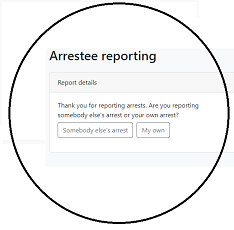
Click on any images to access the service, mouseover to see contact details.
#### The Rebel view
| | | |
| **Features** | | | | |
| **Discoverability** | | | | |
Ultimately which tool you decide to go with comes down to what you and
the other people in your group are comfortable with. However, our
recommendations can be summarised as:
**If your group\...**
- **\...organises lots of different things at once**
Use Mattermost. The extra features and discoverability should
really help to make your group more productive.
- **\...organises a lot of actions**
Use Mattermost combined with Signal for the added security. Also don't forget to enable disappearing messages.

# WhatsApp
WhatsApp is a hugely popular messaging app with over [2 billion
users](https://backlinko.com/whatsapp-users). It's easy to use and the
vast majority of rebels will already have it installed on their phones.
Does this make it a good fit for your XR group?
## Security
Despite being end-to-end encrypted, WhatsApp has a number of serious
security issues that make it a poor choice for serious organisation in
XR. To start with, it is owned by Facebook, a company whose income
depends on collecting people's personal information. You can read
WhatsApp's [privacy
policy](https://www.whatsapp.com/legal/updates/privacy-policy-eea) to
get an idea of the sorts of information that they are collecting.
Another serious and often overlooked security issue with WhatsApp is
that its end-to-end encryption often does not work. Most WhatsApp users
enable an option called 'Chat Backup' so they can recover their messages
in case they lose their phone. If this option is enabled, for even a
single person in a WhatsApp group, then that means that all of the
group's messages will be stored, unencrypted, on either a Google or
Apple-owned server, freely accessible to the authorities.
**Verdict:** 
## Accessibility
WhatsApp has a lot in common with other messaging apps so it is usually
quite straightforward for rebels to learn how to use it. However, in
order to sign up to WhatsApp you need a smartphone, which not all rebels
will have access to. In order to use WhatsApp on a computer, the
smartphone that it's linked to must be connected to the internet
continuously, which is a hindrance.
**Verdict:** 
## Features
You can\'t save messages for later or mark them as unread so you constantly
lose key info and can\'t find it again. The message
box is small and you can\'t thread effectively so it is difficult to keep track of a
conversation.
**Verdict:** 
## Discoverability
Within WhatsApp, group admins can create and share links that rebels can
follow to sign up to the group. This provides a quick and easy way to
invite new people. However, unless this link is published somewhere for
rebels to find, it is impossible to find the group to join in the
conversation.
**Verdict:** 
## Other information
Another issue with WhatsApp is that many people use it to speak to
friends and family. Having XR-related chats on the same platform can put
unnecessary stress on rebels who might want to temporarily 'switch off'
XR communications in order to avoid burnout.

# Telegram
Telegram is a great messaging app filled with features. In particular it
has broadcast channels which can be fantastic for sharing information
widely. But is it suitable for group chats?
## Security
Although Telegram's
[website](https://telegram.org/faq#q-how-secure-is-telegram) would have
you believe otherwise, Telegram actually provides the worst security out
of all the apps being compared here
([source](https://www.makeuseof.com/telegram-security/),
[source](https://hackernoon.com/7-reason-why-telegram-is-insecure-by-design-but-millions-still-flock-to-it-ignoring-privacy-concerns-qq1o344c)).
One of the reasons why this is the case is because **Telegram group
chats are not end-to-end encrypted**. Telegram does allow users to have
[secret](https://telegram.org/faq#secret-chats) chats with
[self-destructing
messages](https://telegram.org/faq#q-how-do-self-destructing-messages-work).
However, this is not available for group chats so all of the messages
that you send to a group chat will be stored on a server somewhere
accessible to the authorities.
Another serious problem with Telegram's security is that **messages are
sent using Telegram's own [private encryption
protocol](https://core.telegram.org/techfaq#q-why-did-you-go-for-a-custom-protocol)**,
as opposed to something used more widely. This means that it has not
been as thoroughly tested and many [security
vulnerabilities](https://portswigger.net/daily-swig/amp/multiple-encryption-flaws-uncovered-in-telegram-messaging-protocol)
have been exposed in the past.
**Verdict:** 
## Accessibility
Telegram is one of the most accessible apps available. You don't need a
smartphone to sign up, just a phone number, and it can be used on
[practically any
device](https://telegram.org/faq#q-which-devices-can-i-use).
**Verdict:** 
## Features
You can\'t save messages for later or mark them as unread so you constantly
lose key info and can\'t find it again. The message
box is small and you can\'t thread effectively so it is difficult to keep track of a
conversation. It\'s limited in terms of formatting messages and if you
want to broadcast and add an image there\'s a character limit so you
have to be able to either fit your message into that limit or miss out
key info.
**Verdict:** 
## Discoverability
Telegram has some excellent features that make group chats easy to find
and join. Like Signal and WhatsApp, users can share a link to the chat
that people can use to join it. However, you can also search for public
Telegram channels from inside Telegram. This makes it easy to find and
contact broadcast groups but can also lead to spam since anyone can join these channels - even if they are not a member of XR.
**Verdict:** 

# Mattermost
Mattermost is the messaging app that has been specially set up by XR for
rebels to collaborate with each other. It is quite different to the
other apps being discussed because it is designed to be used by teams in
a workplace as well as for personal communications. Unlike the other
tools, it also exclusively runs off of [renewable
energy](https://datacenterlight.ch/en-us/cms/hydropower/).
## Security
Mattermost takes quite a different approach to security than the other
apps. Instead of employing tactics such as end-to-end encryption and
self-deleting messages, Mattermost prevents the authorities from
accessing your group's messages by storing them on our own secure
server.
The best thing to do to protect ourselves and XR is to use a process called **'Air-gapping** and is broadly used in gov agencies, military and corporate sectors. It's a trick they don't want us activists to know and use! Air-gapping simply means we communicate any action planning and organising using a **private** Mattermost channel and then send specific details such as car registrations, credit card numbers and addresses using an app that is end-to-end encrypted and has self-deleting messages (Signal is best). This creates a gap between the planning and those specific details and ensures that if an adversary manages to get their hands on one account, they don't have all the pieces of the puzzle to sabotage an action, nor pair up individuals with a particular action plan, nor put faces to words with intent to commit crime (etc).
Another great advantage to using Mattermost is that if rebels ever get
arrested, they can have their [accounts temporarily
suspended](https://rebeltoolkit.extinctionrebellion.uk/books/online-tools-for-communicating-with-other-rebels/page/compromised-account-procedure)
so the police would not be able to read any messages even if they took a
rebel's phone. Once the rebel gets out of custody they can then have
their account reactivated.
**Verdict:** 
## Accessibility
You do not need a smartphone to sign up - only an email address - and
you can easily use it on any device unlike some other apps (e.g.
WhatsApp) that only work if linked to your phone.
If you have a computer it is very easy to use since you don't have to
install anything - just use your browser. This also means that the
messages can be easily read on a larger screen.
**Verdict:** 
## Features
Mattermost has by far the most features out of the apps being compared.
It is specifically designed for use by teams, as opposed to personal
messaging, and so has a number of advantages over the other messaging
apps.
For example, in Mattermost [chats are
organised](https://rebeltoolkit.extinctionrebellion.uk/link/394) into
teams, public channels, private channels, and direct messages. This
makes it easy to navigate between different chats. Also, Mattermost has
a much better way to handle multiple conversations happening in the same
channel at once. Whilst the other apps allow you to quote reply to
individual messages, Mattermost has threaded conversations so you can
see the full history.
You are also able to **save messages** for yourself which makes finding links and key info much easier, **mark messages as unread** to revisit later, **Pin** important messages so other people in the chat can find them easily and **store regularly used links such as Minutes and meeting links in the channel Header** for everyone to use removing the need to bookmark/store those links on personal devices.
Writing messages in Mattermost is also more powerful. Not only are you
able to edit your messages after you've sent them, but you can use
[Markdown to format your messages in fancy
ways](https://mattermost.com/blog/laymans-guide-to-markdown-on-mattermost/).
Great for making eye-catching announcements!
There is a small learning curve when you use Mattermost for the first
time because, being designed for teams, it is laid out differently to
the other apps. The design is practically identical to other popular
messaging apps like [Slack](https://slack.com/) and
[Discord](https://discord.com/) so if you are familiar with those you
will have no issues.
**Verdict:** 
## Discoverability
**One of the main reasons why XR uses Mattermost is to make groups
discoverable.** Every group that signs up to the [XR UK
Hub](https://auth.extinctionrebellion.org.uk/) will have
public and private group chats created on Mattermost for them as the Hub does the 'heavy-lifting' for you. Having your group on the Hub means the Hub does the work of creating your Mattermost channels (as well as Cloud folder and Forum spaces) and the group's members will be joined automatically to the group's chats and at the same time, given access to the Cloud folder and Forums.
Every group that signs up to the Hub gets a public group chat called a **RECEPTION** channel so, if you're not a member of the group, contacting the group is as simple as searching for and joining the group's Reception. Having public discoverable Receptions is a major advantage over other apps as you can quickly see if a channel already exists for a specific group or topic. After joining a Reception you can then chat to the group and if you want to get more involved, you can be sent a Hub invite to the group which automatically adds you to the group's private channel. You can't search for chats on WhatsApp and Signal and can only find big public channels on Telegram which leads to similar channels being regularly created for the same purposes on these other apps. This can lead to burn-out for chat Admins as there often isn't the capacity to administer these additional chats and in addition, rebels get added to multiple chats for the same group increasing the number of chats they need to monitor which quickly leads to individual burn-out.
You can also use the [Hub structure
view](https://auth.extinctionrebellion.org.uk/xrgroups/structure?id=35)
to find other groups and get information such as their email address,
website and social media account.
This is why **we strongly recommend that your group at least signs up to
Mattermost and the Hub** as it provides an easy way for other groups to
get in touch with you.
**Verdict:** 
 |
# Signal
## Security
Signal has unquestionably the best security out of all of the apps
compared here. Chats are always [end-to-end
encrypted](https://support.signal.org/hc/en-us/articles/360007320391-Is-it-private-Can-I-trust-it-)
and you can enable [disappearing
messages](https://support.signal.org/hc/en-us/articles/360007320771-Set-and-manage-disappearing-messages).
Furthermore, Signal is actually
[open-source](https://opensource.com/resources/what-open-source). This
means that anybody can look at [Signal's source
code](https://github.com/signalapp) and verify that it is secure.
**Verdict:** 
## Accessibility
Has complicated features like [Signal
PIN](https://support.signal.org/hc/en-us/articles/360007059792-Signal-PIN).
**Verdict:** 
## Features
Signal has much of the same features as WhatsApp and Telegram. Whilst
this makes it easy to learn how to use, it also means that:
- It is hard to write longer messages in the small message box
- It is difficult to keep track of multiple conversations happening at
once
- Once you have sent a message it can't be edited
Signal can also be problematic for rebels who have limited storage on
their phones because the messages are stored locally instead of in the
cloud, and this can take up a lot of space.
**Verdict:** 
## Discoverability
Just like WhatsApp, you can share links to Signal group chats allowing
people to quickly join the group. This is great for signing people up
but it is hard for rebels to find this link and join the group.
**Verdict:** 
# Appendix
## Why does security matter?
Given the types of actions XR does, **it is essential that the
authorities do not get access** **to rebels' personal information and
private messages**. This is for a number of reasons including:
- It could compromise the legal defences of arrestees
- It could affect the right of rebels to stay in the UK
When discussing security in the context of messaging apps, there are two
main things to think about:
- Can my messages get intercepted?
- Where are the messages getting stored?
The first of these is straightforward - to make sure messages cannot be
intercepted we need to make sure that the app uses secure encryption
when sending messages. The second, however, is a little more complicated
as it depends on terms like "end-to-end encryption".
End-to-end encryption is used by a number of messaging apps. What it
means is that the messages are stored on the phones sending and
receiving the messages, rather than on some server. This is generally
good from a security standpoint because the authorities would need to
access one of the phones in order to see the messages; something much
harder for them to do than approach the owners of the server with a
warrant.
Another important things to consider when choosing a messaging app is
whether or not you want to have [disappearing
messages](https://www.wired.co.uk/article/whatsapp-signal-disappearing-messages).
These are messages that are automatically deleted after a certain time
period, usually around a week or so. This can provide an additional
layer of security on top of end-to-end encryption.
Lastly, one extremely important thing to bear in mind when discussing
security is that **by far the biggest weakness in XR's security is the
people**. It is very easy for an undercover police officer to pose as a
protester and get themselves added to a 'secure' group chat. Once that
happens, any security features of the messaging app become irrelevant
since the authorities can see everything that is getting discussed.
## Why does discoverability matter?
Discoverability - making your group easy to find and get in touch with -
is a huge issue for XR. We are a decentralised organisation so each
group has the freedom to decide how they want to organise and
communicate. This is fantastic from the point of view of [mitigating for
power](https://extinctionrebellion.uk/the-truth/about-us/), but it makes
it difficult to share knowledge and skills across groups. To try and
reduce this problem, it is important when choosing a messaging app to
think about how other rebels and groups can find the group and get in
touch with you.
## Alternative messaging apps
There are many other messaging apps used by rebels in XR. We have just
chosen to focus on the most commonly used ones here. Some other popular
choices include:
- [Discord](https://discord.com/): An app with some great features but
[extremely poor security and
privacy](https://cybernews.com/privacy/discord-privacy-tips-that-you-should-use/).
## Useful links
- [Electronic Frontier Foundation: Thinking About What You Need In A
Secure
Messenger](https://www.eff.org/deeplinks/2018/03/thinking-about-what-you-need-secure-messenger)
- [A Guide to Group Chats on Signal, Whatsapp and Telegram](/books/a-guide-to-group-chats-on-signal-whatsapp-and-telegram) book on the Rebel Toolkit
# Why we have the Hub
How are you communicating with people in your working group?
- Are you using WhatsApp? Or Telegram? Or Signal?
- How do you communicate with other working groups?
- Do you have to use email? Or another channel to add to the ones you already use?
- How do you find other working groups?
- Or do you have to depend on who you already know, and ask around everyone who might know someone in the other working group, so you can get in touch?
**There is a problem**
- WhatsApp is discriminatory - if you don't have a smart phone, you can't use it. Plus it mixes personal and XR chat in one place, so you can't have any time off. And it is just a stream of chat - you can't tell who is replying to whom, and finding stuff you saw a week or two ago is hard. Similar criticisms can be applied to Telegram and Signal (though, at least, Signal is pretty secure and doesn't automatically leak all your conversations to the authorities).
- For rebels who are neurodiverse, dyslexic and / or who are involved in many groups and teams, having to manage a number of apps and a number of groups within those apps, can cause confusion and stress, and could impact their mental health.
- Using WhatsApp, Signal and Telegram also means that members are 'siloed' in their groups without the ability to act autonomously and search for and join other groups, and also means members who **are** involved in other groups have to constantly cross-post information to those members who are 'siloed'. This creates a reliance on, and an additional unneccessary workload for, those members who are cross-posting and again causes them stress and potential burn-out. Having the public Reception channels for each group on Mattermost gives rebels the ability to join those channels, communicate quickly with the other groups' members and then leave the channel afterwards. The Town Squares on Mattermost also means everyone has access to the same information and negates the need for cross-posting.
- Depending on who you know is slow, and concentrates power in London and in the main UK Working Groups, who get to know each other.
**There is a solution!**
Since August 2019 we have been installing, developing and honing a new set of communication tools for XR. They have been in use globally by most XR groups elsewhere in the world since 2018.
They provide chat, more permanent forum discussions, and secure file storage. They run on renewable energy powered servers, in Switzerland (which has the best data protection laws in the world -- no more leaks to the authorities whenever they express an interest).
They are tied together by our in-house developed communications Hub. As well as providing a handy front end menu to the services, it also shows you the whole structure of all the XR groups on the new services -- every
working group, region, district or local group, how they fit together, how to contact or join in discussions on any of the tools with each one, and everything you need to finally be connected with the rest of the organisation, in the UK and throughout the world, if you like.
The Hub also decentralises everything - every group on the Hub can administer their own spaces on Mattermost, Forums and Cloud - no need to rely on the bottleneck of having to ask a central admin to do everything (although the regional and national admins are there to help if you get stuck).
**Don't Panic!**
Oh no, you may be thinking, a new tool with hundreds or thousands of discussions going on. My head will explode!
Don't worry. We have spent a lot of effort in hiding everything you don't want to see. You join the new services as part of an XR Group (a Working Group, Local Group, or whatever). You then see only the conversations that involve that group. If you are in more than one group (e.g. many people are in both a local and regional group), you see the
conversations for all of your groups.
Once in, you can connect to any other XR Group because there is a list (on the Hub) of all of them, showing how they connect together, with clickable links to join in their public "Reception" chat channels or forums.
Once you have joined a chat channel or forum, it is added to the list you can see within the website or app, and you can take part in the discussions. You can leave again at any time, and they will disappear again.
**Mobile or Static**
If you use your mobile to organise your life and carry it with you expecting to be permanently in touch when you want to be then that is fine - there are excellent dedicated mobile apps for both Apple and Android devices that will make your XR life available anytime you want it without mixing it in with your family and social life.
If, on the other hand, you regard screen addiction and always-on connectivity as symptoms of what is going wrong with our society, and you prefer to use a proper keyboard and full size screen while sitting at a table or in an armchair, then that is fine too. The websites for
chat and discussion forums are easy to navigate and help you keep track of the things that concern you while shielding you from unwanted distractions.
Or you can mix and match and use both mobile apps and bigger screen websites as and when you like.
# What do DDAT do?
## Digital Discussions Applications Team
Click on any images to access the service, mouseover to see contact details.
#### The Rebel view
 ##### Arrest Watch
[](https://arrestwatch.info/ "N/A")
#### Behind the scenes
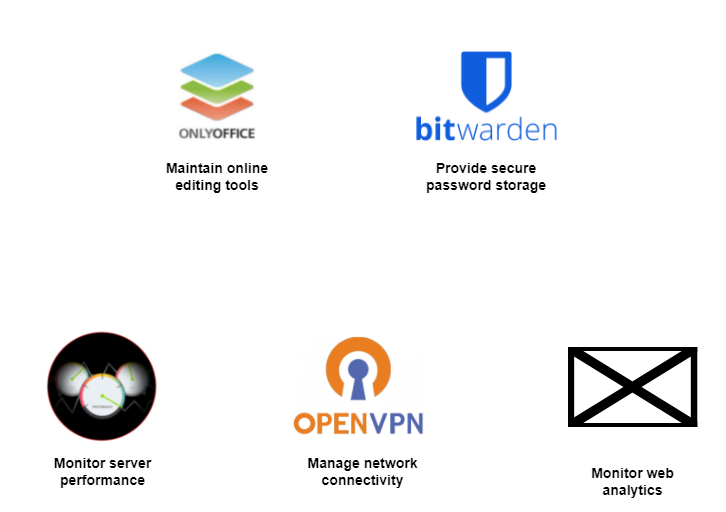
#### Other services not supported by DDAT
[](https://extinctionrebellion.uk/ "xrukwebsites@protonmail.com")[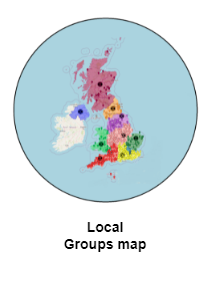](https://extinctionrebellion.uk/act-now/local-groups/ "Individual contacts on map")[](https://organise.earth/uk/channels/ddat-email-accnt-requests "Email requests channel")
# FreshDesk for managing Digital queries
### Introduction
If a rebel has a technical query, problem or suggestion, they can ask in the Mattermost channel **Tech Reception**.
##### Arrest Watch
[](https://arrestwatch.info/ "N/A")
#### Behind the scenes

#### Other services not supported by DDAT
[](https://extinctionrebellion.uk/ "xrukwebsites@protonmail.com")[](https://extinctionrebellion.uk/act-now/local-groups/ "Individual contacts on map")[](https://organise.earth/uk/channels/ddat-email-accnt-requests "Email requests channel")
# FreshDesk for managing Digital queries
### Introduction
If a rebel has a technical query, problem or suggestion, they can ask in the Mattermost channel **Tech Reception**.
XR has the free version with only basic functionality.
The product owner of all instances of Freshdesk is still to be agreed, likely to be a Digital IC.
There are other instances (separately installed copies of the software) of Freshdesk not covered here used by the Reactive team and the Pathways team. The Reactive team may pass on tickets to Digital if they believe they are best managed here.
Tickets created in Freshdesk can only be managed by Freshdesk agents, one of whom should own a ticket until it is closed. There are 4 levels of access for agents and this guide only covers the lowest.
1 agent should act as triage to read and assign each new ticket to an agent with appropriate skills but they may in turn reassign it if agreed. An agent may seek help from a non agent, i.e. someone else in XR if they have the skills to resolve it.
### Source of tickets
Rebels use Digital's instance of Freshdesk by sending an email to **tech@rebellion.earth**. This email address is advertised in RT, Telegram, email responses to new Hub users and in some external news websites such as BBC.
Krystal (**is this software embedded in the mail server?**) redirects this to **xrsupport@freshdesk.com** which creates a ticket on Digital's **FreshDesk** instance **xruk.freshdesk.com** with the email message.
If anyone ticks Unsubscribe on an XR message, a notification goes to the GDPR team (I don't know how) and they create a ticket via an email to **tech@rebellion.earth.**
Freshdesk cannot distinguish between email traffic and feeds to Freshdesk via the link email address **support@xruk.freshdesk.com**. (**Please explain.** Are there simply 2 email addresses linking to Freshdesk?)
The email address of the originator of the query is passed through this process such that when an Agent replies to the FreshDesk ticket the reply is sent to the originator, not back to tech@rebellion.earth.
Our FreshDesk instance allows us to track responses to these queries and provide feedback to both the original enquiring rebel and the various support functions within XR UK.
When an email is received, it triggers an automatic reply back to the requester :
Dear "Requestor",
Thank you for your email. We have received your request and a ticket has been created (**explain what is a ticket?**).
We are staffed by part time volunteers, so please be patient with us - we will get to your request as soon as possible.
There is growing collection of useful articles on our knowledge base - this is limited at the moment but we aim to grow it as quickly as possible. Have a look and see if it helps.
To view the status of the ticket or add comments, please visit https://xruk.freshdesk.com/helpdesk/tickets/123456789
Love and rage, XR Tech
The above **Knowledge Base** link takes the requester to links telling them how to use Action Network, Freshdesk etc. There is little there which should be removed and a link created to Rebel Toolkit, as our single surce of knowledge.
### Levels of access by agents
There are 4 agent roles below in increasing order of privileges.
(**This is best shown n a matrix**).
(**who can create / change other agents' access?**)
(**Only the agent role is described here and someone with higher access should describe their functions.**)
**Agent**
Can view, respond to and assign tickets, as well as modify ticket properties.
**Supervisor**
As Agent and can also enable automatic ticket assignment of the member groups under the Admin tab.
**Admin**
As Supervisor and can edit configurations under the Admin tab, Can update the dropdowns in the Group and Type properties.
**Account Admin**
As Admin and can edit billing and account management.
### How to use Views
The left menu column is to choose what you want to view :
**Dashboard** : summary stats on tickets and recent agent activity. (**how are totals for Unresolved, Open and On hold calculated?**)
**(2nd icon does not function for my basic agent access)**
**All tickets** : for the triage and agents to manage tickets. This list has filters in the right column on several ticket properties and more filters in icon at top left (not sure if the 2 filters can be in conflict). **Why are there lots of Unresolved tickets here?**
The **More** link (3 vertical dots) has Edit ticket, Print and Spam reporting.
Top right has buttons for New, Search, Help and support.
Click a ticket to see an indidual **Ticket details.**
**Ticket details** show the email trail, its properties, the requester's contact details and a timeline (?)
**Contacts and Companies : What contacts and what companies are shown? Should they be deleted for GDPR if not needed?**
**Reports & Analytics** can't see this with my access
**Admin** (list of Agents, etc). Only for admin agents.
**Knowledge Base** (mouse over shows "Solutions")
### Triage process
At any time, there must be 1 agent nominated as the triage who decides to whom a new ticket is assigned.
They access FreshDesk daily.
**Analyse content of a new ticket**
1. **Technical problem or query** - **TTA** responds or passes to the relevant agent (simplist is Tech Reception).
2. **Unsubscribe request** : Send PN to a member of the DDAT team (Tech Receptio?), who will find them up on the Hub and remove as necessary. Reply to requestor when UnSubscribe completed.
2. **Requests for removal of user information :** **(is un-subscribe different from data erasure?)** these tickets should be owned by an agent from the GDPR team and resolution must comply with GDPR. Other Digital teams help with the data erasure
3. **Subscribe Request - "add me to the Hub"** Send PN to a member of DDAT (Tech Reception) who will work out what sort of Hub Invite to send.(**where does the ticket originate?**)
4. **Action Network :** email database and Data Team enquiries. Send PN to Action Network Data Team Reception.
5. **General Tech Problem**
If you know the answer, then reply directly.
If not, establish which team is most likely to resolve the issue and contact them or Tech Reception if a Digital team. If it looks like the team is not in Digital, find their MM Reception.
6. **Website query on content or design**
Send it to the reception channel for the XR team owning website content - Media & Messaging.
7. **Volunteers Website**
Send the query to Pathways Reception.
8. **Foundation Programme**
Send the query to Pathways Reception.
9. **XR email address requests or issues**
Send email to Adrian P at Action Network Data team at adrian.xrsl@protonmail.com (is it better to use AN Data Team Reception?)
10. **Spam** : If it looks like spam, there is a drop down menu from **More** (3 vertical dots) on the Ticket screen that allows you to mark that individual ticket as spam. When you do you get the option to mark everything from that address as Spam. Freshdesk does not appear to have any native spam filter. For any egregious "unblockable" spam, go to the linked email account and set up a filter there.
11. **Other** if issue not covered by above, Agent can ask for more info from Requestor and/or research within XR to find potential resolution. The **TTA** should, therefore, have a reasonable working knowledge of the XR organisation, both UK and Global, or know whom to ask.
### How an agent works on tickets
**This is the dashboard**
[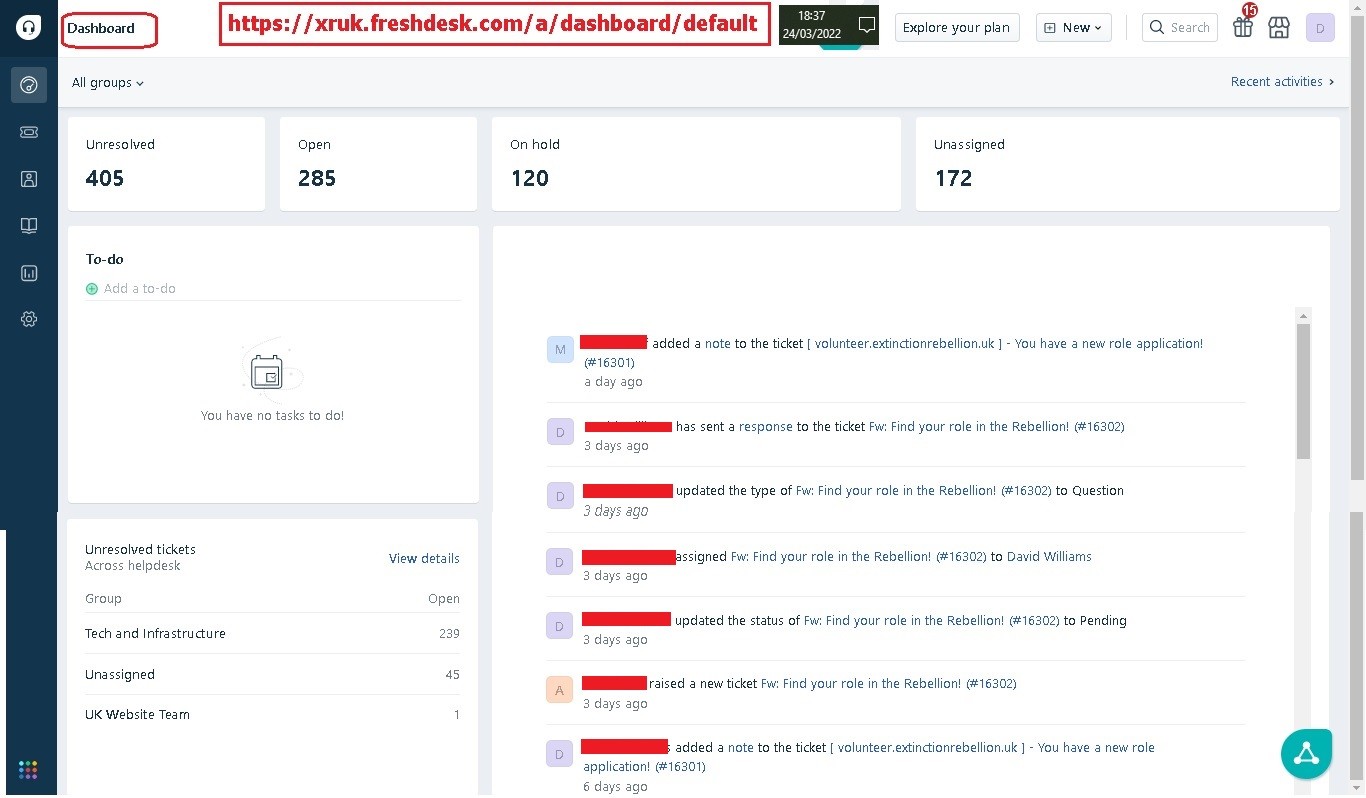](https://rebeltoolkit.extinctionrebellion.uk/uploads/images/gallery/2022-05/Freshdesk_Doc_01_Dashboard_24Mar22.jpg)
**View all tickets and then use a filter to find those you wish to work on**
[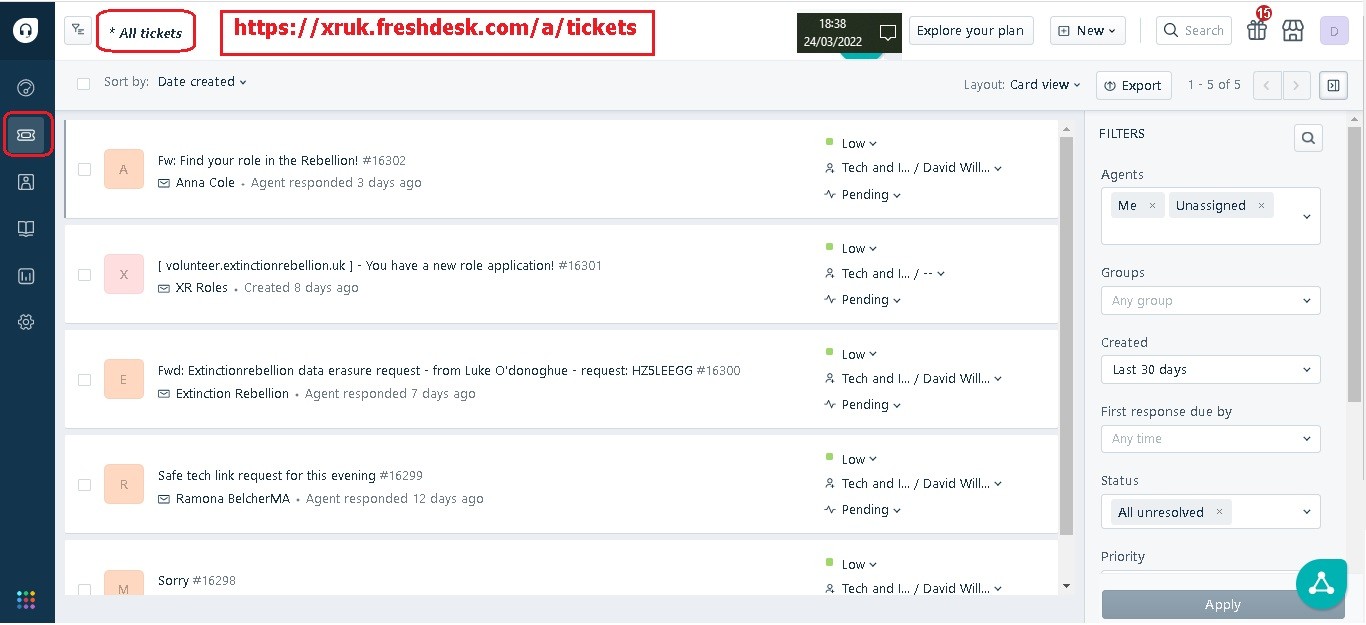](https://rebeltoolkit.extinctionrebellion.uk/uploads/images/gallery/2022-03/Freshdesk_Doc_02_Current_Ticket_List_24Mar22.jpg)
New Queries are flagged (none in above screenshot). You then select a Query to see original request and any replies.
**A typical query thread**:
[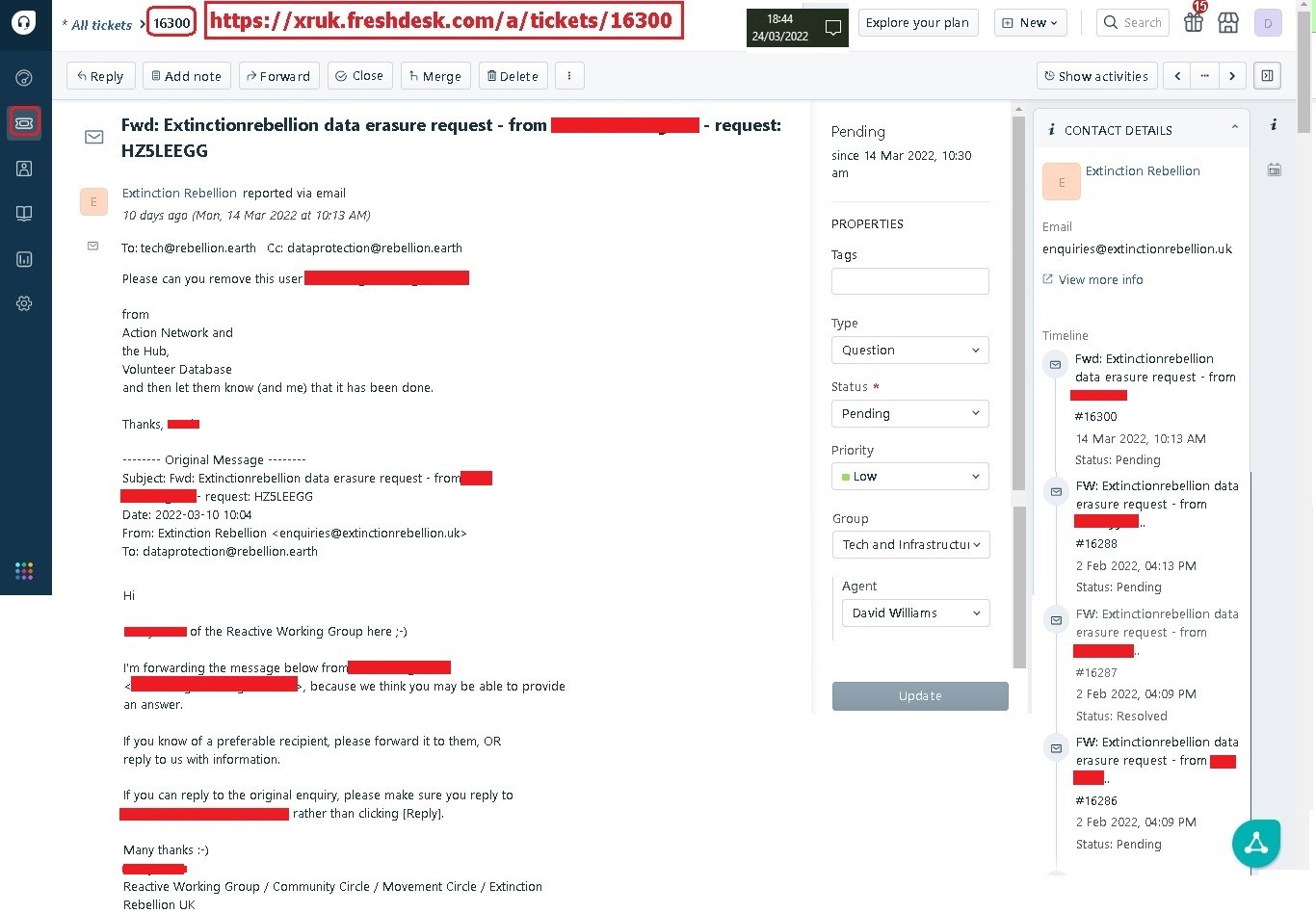](https://rebeltoolkit.extinctionrebellion.uk/uploads/images/gallery/2022-05/Freshdesk_Doc_03_Select_Ticket_List_24Mar22.jpg)
### Resolving Tickets
Use the **Status** property when working a ticket to track its progress :
**Open** : initial value
**Pending** : help or advice is being sought by the agent. Set back to Open when response received.
**Resolved** : useful for problem resolution, but not needed.
**Closed** : after whatever action was needed has been taken and the requester has said it is ok.
The requester may never respond, especially for a data erasure. Allow a reasonable time before closing. If there is a late response, the ticket can be re-opened.
### Actions on a ticket
**Reply** to the requester giving further info or if questions needed. They will have had an inital email acknowledging the ticket.
**Add note**
Allows you to pass the query on to another FreshDesk Agent. In addition, you can forward the email thread to non Agents using their own email. This is useful when responding to rebel's requests for support outside Digital e.g. Local Group Coordinators.
The Notes thread acts as an audit trail defining how the request is handled. If any TTAs go down a path likely to be repeated, or answer a question likely to be asked again, then they should contribute to more notes for other TTAs (destination for note / knowledge base yet to be determined) or they update info (FAQs?) on Rebel Toolkit if the information can be shared publicly.
**Forward** to another agent (same as Add note?)
**Close** sets Status
**Merge** ?
**Delete**
### Properties of a ticket
To the right of the email thread are properties of the ticket.
**Status** : current status
**Tags** ?
**Type** : a drop list of types of query. Not sure if or how it is used.
**Status** : can be changed, see **Resolving Tickets** above.
**Priority** : seldom used
**Group** : only ever set to "Tech & infrastructure. (It could be used to show the team helping to resolve the ticket, if ever needed.)
**Agent** : (how does this work? Drop down is blank.
### Requests from groups or teams to use Freshdesk
To start using FreshDesk for your XR Subgroup, you must have the following :
An email address that you are currently using to take on feedback/requests/tasks
A group of people (agents) who are willing to share out the tasks in the emails amongst them
Please send an email to support@xruk.freshdesk.com with the following information:
1. The subgroup your team is a part of
2. A list of agents emails you wish to initially onboard to that group and the workload
3. The email address you'll be forwarding from while using FreshDesk
END OF INSTRUCTIONS
...
# Privacy and Security
## How private is your data on the XR communication services?
Data on our new services is held in an encrypted partition on a server
in Switzerland (which has excellent data protection laws). Should we
receive the statutory 24 hours notice of a data access request, we only
have to shut down the server to make the disk about as much use to the
authorities as a brick.
Having said that, data on a public channel in Mattermost, a public forum
on UK Forums, or a shared folder on UK Cloud should be considered public
-- if anyone in XR can access it, then you should assume there is a mole
in the organisation, who can pass it on to the authorities.
All data on **any** server is accessible to the system administrator of
the server. This is why we do not recommend using third party servers
for anything in the least bit sensitive. The system administrators of
all the XR servers (a handful in total) are all long standing XR members
who are trusted by the movement.
### Mattermost
The system administrators of the Mattermost server (none of whom are in
the UK) ask that you **do not** share sensitive details of illegal
activity on Mattermost.
Quote from the [XR Global FAQ](https://docs.organise.earth/en/tech/FAQ)
> The XR Mattermost is a service in use by hundreds of groups, for team chat, group updates and organising. As the service is shared, we need to make sure no one team or group makes this service any more of a target for our adversaries than it already is. If an adversary (including an insider or federal investigator) knows high-value information is stored on this server, they will focus on ways to reach it, including possible legal interventions. As such, the less sensitive and high-value information that is shared on Mattermost, the better for all of us, and it will keep ticking along just fine.
>
> But what is meant by 'sensitive information'? Here is a non-exhaustive list of examples:
>
> - Home addresses, personal phone numbers and full names of action coordinators
> - Full names of rebels signing up for an action
> - Credit card and bank details
> - Car license plate numbers of rebels
> - Login details for group social media accounts
> - Leaks from truth tellers
> - Date, time, place and participants of a planned clandestine action
>
> Details such as above are best shared off-platform, on an end-to-end encrypted service like Signal, Wire or Session. For sensitive documents, use the end-to-end-encrypted XR Cryptpad. Use MM for chat and for organising (action planning should be in private teams and/or channels), but when the info gets hot, "I'll Signal you those details". This also ensures that if an adversary manages to get their hands on one account, they don't have all the pieces of the puzzle to sabotage an action, nor pair up individuals with a particular action plan, nor put faces to words with intent to commit crime (etc).
>
> We want to be arrested for what we do, not what we plan to do, lest of all for a few ideas we're throwing around.
>
> This best-practice approach is referred to in Operations and Information Security as air-gapping as it puts space between mission-critical information and/or infrastructure. It's a great group and mission-centric habit to get into, and is broadly used in gov agencies, military and corporate sectors. It's a trick they don't want us activists to know and use!
Data in a private channel in Mattermost can only be accessed by members
of the channel. Only other members of the channel can join new people,
so that is the highest level of privacy available to you.
You may notice that private channels created by the XR UK Hub have
*xrukadmin* as a member. This is the login of the Hub on Mattermost, and
allows the Hub to add and remove members, rename the channel, etc. This
function is there to save you work, so that people can be automatically
added to your channels when you invite them, and so you can remove
people, and rename or delete channels from the Hub easily, without
having to repeat your actions in the 3 different services.
The UK system administrators have access to this login, so they could,
in theory, see everything you say in the channel. If you have something
too private to reveal to the UK system administrators, then create a new
private channel in Mattermost, rather than via the Hub. Of course, you
will then be totally responsible for administering that channel, adding
new people in, removing people you do not want in it, renaming it (in
Mattermost), etc.
Please do not remove xrukadmin from a team or channel that has been
created by the Hub without letting the system administrators know right
away that you have done so -- if the Hub thinks it can access a team or
channel, but it can't, that will cause error messages for your users.
### UK Forums
Data in private forums on UK Forums can only be accessed by Forum group
members (and the UK Forums administrators). You can check who is in the
forum group by accessing the Forum Groups option on the main menu, and
finding the relevant group. You can remove people from the group by
removing them from your organisation on the Hub (preferred), or in UK
Forums (but the Hub may add them back again if you don't remove them
there too).
### UK Cloud
Data in private group folders in UK Cloud can be accessed by group
members (and the UK Cloud administrators), and by anyone you share it
with. Again, you can remove people from your organisation (and therefore
access to your group) on the Hub.
### Appendix 1: Why are there private working groups
This is quoted from a post by the global security expert (with minor formatting edits).
Something that comes up often is "Why are there private working
groups? Why can't we all work in the open?" My own experiences in
several large online communities, is that having private areas
facilitates thriving, safer communities. A 'regime of openness', on
the other hand, tends to seed decay, even paranoia and distrust. While
that may seem counter-intuitive, there are a great many reasons why
this is so:
### Privacy is not Secrecy
First of all, we need to challenge the misbelief that Privacy and
Secrecy are one and the same. They are not. To quote a beautiful work
of literature, *A Cypherpunk's
Manifesto* ([EN](https://www.activism.net/cypherpunk/manifesto.html)),
1993
"Privacy is the power to selectively reveal oneself to the world."
There are things we would tell a sibling we would not a parent; that
we would tell a friend that we would not tell a relative or boss.
Privacy is the *glue* of a happy and healthy society, it is how we
establish and manage our socio-emotional and physical boundaries.
If I walk up to a couple in the park and demand a summary of what they
just talked about, to be included in their conversation, and they
refuse, we wouldn't say they are being 'secretive'. Rather, they are
asserting their basic human right to privacy.
So it follows that we should certainly not distrust those that seek
and affirm privacy, rather those that rally against it, those
that *demand* openness. Further, it should be no surprise that those
suspicious of allowances for privacy are often from privileged
socio-economic backgrounds.
It must be up to individuals when they choose to be open. This is only
something that a *de facto* of privacy, alongside a basic right to
anonymity, can provide.
### Whole community poisoning
Private working groups also protect against a very real threat to
online communities: **Whole community poisoning**. Should a troll or
infiltrator, or organised group of such, come to Mattermost or Forums and be able to openly join every one of the dozens of teams on this server, every one of the channels and working groups, they can quickly ruin the social and cultural domains this server affords.
Having private working groups and/or areas affords us Circles
of Trust:
### Circles of trust
Allowing members of private channels to manage those same domains
encourages a sense of ownership, of trust. In essence, it embodies
a *decentralisation of trust*, in that it is not centrally managed by
a vetting process (like a Police file) but rather by transient (a
table at a bar) or permanent (a village) communities themselves,
through their own experiences (and ever branching degrees of
separation).
Like all animals, we meet people, get to know them, and let them
closer.
### Appendix 2: We need to talk about Google Docs
From the global security expert again (slightly edited to refer to XR UK comm's services).
**Green and Black Cross**, seasoned professionals in the support of
activists in need in the UK, have made a [public
statement](https://greenandblackcross.org/statement-on-extinction-rebellion-xr-why-we-can-no-longer-work-with-xr-organiser/) that
they will no longer support XR UK. In their statement, one difficult
to read, they specifically cite the use of Google (alongside WhatsApp
and Facebook messenger) as a risk to rebels, opening them up for deep
exposure to Police.
We believe that the way XR stores personal data is inadequately secure
(for example, in Google documents and forms). This means that personal
data belonging to LOs is likely to be accessed by police.
We believe that the communication channels XR uses for legal observers
are inadequately secure (for example, WhatsApp and Facebook messenger
groups, public Facebook events and email lists with no bcc). This also
means that communication through these channels is likely to be
accessed by police.
Their statement raises an old issue here on Organise.Earth \[Ed: The
server hosting the global Mattermost\], one that is a primary
motivation for the server existing in the first place: *we endanger
each other, and ourselves, when we work with surveillance
capitalists*. So let us stop doing it.
Google is a completely unsafe partner for civil disobedience, activism
in general. We can't have a 'regenerative culture' and partner with
that corporation. *Green and Black Cross* are veterans in this space,
and we ought to heed their concerns. I share their concerns having
assisted at-risk individuals and groups for years with their
infrastructure, to keep them off-police-record and safe in their work.
Lists of NCs in a Google Doc - any list of contacts - threatens those
in less privileged operational environments, where police request
information from Google, [which they openly
provide](https://support.google.com/transparencyreport/answer/7381738?hl=en),
to incarcerate that/those individual(s). It would be great to see us
take this to heart and understand that it is uncaring and mutually
harmful to continue to use Google products, not to mention WhatsApp (a meta-data harvest), as **Green and Black Cross** make so clear.
While an XR NL or XR SE (for instance) may find it
unusual/paranoid/specious to have such concern, it is a 'projection of privilege' to assume the same jurisdictional/legal environment exists for all, where brave rebels working in difficult conditions are first
surveilled (by statecraft, federal police) and then they are jailed,
beaten and/or shot. Many of our rebels work in such environments. In
the spirit of regeneration and mutual support, **it is time for our
ethics to be reflected in our communication infrastructure**.
### Solutions
**Use Nextcloud** to store and view documents on [UK
Cloud](https://cloud.extinctionrebellion.org.uk/).\
The only reason not to is if you absolutely must have online editing or
real-time collaborative editing -- ask yourself is there a different way
of working?
The tech team is working hard to make available a Google Docs like
interface to enable people to edit documents collaboratively. A view
only version is already available, and we are working on porting an
editing version to our server.
While functional, do not expect this to be as slick as Google Docs,
which has all the massive resources of Google behind it, and has
probably cost millions to develop! Remember that the cost of using
google is that everything becomes easily available to both commercial
and state interests.
In the meantime, only use google docs for things for which you
absolutely must have real-time collaborative editing. [So long as your
computer is secure]{.underline} you can use the Nextcloud desktop sync
app to edit a local copy of documents you are working on and have them
automatically updated into UKCloud.
When someone posts a link to a Google Doc, gently remind them that use
of Google is provably unsafe, that we need to make the effort to copy
its contents out to a document in our community owned cloud. It is not
just the content of the document that matters. Even with harmless
content the ability to build up a profile of usage and users to infer
activity by combining that with other data is a major privacy issue and
potential security flaw.
**Use Mattermost, Signal or Wire** instead of WhatsApp. Owned by
Facebook, WhatsApp produces a vast treasure-trove of meta-data and has a
notoriously suspect record for data-privacy.
**Get off Gmail** and other commercial email services. Let us help each
other get off GMail. No more sending around sensitive documents in GMail
accounts. Use the privacy
respecting [ProtonMail](https://proton.me/) or [Tutanota](https://tutanota.com/) instead.
**Stop using Facebook** and other commercial social media for anything
strategic or sensitive. This should be done
using [Signal](https://signal.org/) or [Wire](https://wire.com/), or on
[UK Forums](https://base.extinctionrebellion.org.uk/) or [Mattermost](https://organise.earth/) .
## A Note on Usernames, Passwords, and Profiles
This document discusses what to include in your profile within the XRUK online services, what makes a good username, and how to choose a password.
In all three of the XRUK services -- UKCloud, UKForum, and Mattermost Chat -- users have a profile that stores their personal information. You can edit some items in your profile, and some of them will be visible to other members. The three key pieces of information in your profile are your username, password and e-mail address.
If you join the new services by responding to an invitation from the UKHub you will automatically start with the same username and password on all three services. Your account on each of them will be tied to the same email address that received the invitation.
### Initial Setup
On UKForum and UKCloud you cannot change your username once your account is created so it is important that you choose a good one. If you already have an account on XR Global Mattermost and you want to use a different username or password, then you must change it on your Mattermost Account Settings before accepting an invitation from the hub. The email address already on Mattermost must match the one in your invitation, so if necessary change that on Mattermost before starting as well.
If you want to use a different email address to the one at which you were sent the invitation, then request a new invitation with the correct address from your Group Admin.
When you accept an invitation to first join the new services an account will be created for you on each of the three with the same username, password and email.
### Usernames
You are encouraged to create a username that is recognisably related to you - some rebels are happy to use their Local Group as part of their username - like `tom-bangor`- others may align with their Working Group - like `rose-creatives`. However, should you wish to remain anonymous, you are free to choose one that totally conceals your identity.
As an aside, the global Mattermost which we share, covers some countries where there may be substantial personal risks to being identifiable -- so you may well meet some fellow rebels there who are hiding their identities for reasons of personal safety.
There is a minimum length requirement of 6 characters for usernames. They must consist of lowercase alphabetic characters and digits only. Beyond that the longer you make it the more typing you, and others contacting you, will have to do, and the more of a mess it will look on screen.
### Passwords
When it comes to choosing a password, choose something which you can remember -- e.g. the initial letters of a phrase or line from a song that will stick with you, with some letters transposed to digit (o->0, I -> 1, to->2 etc) and a couple of uppercase and punctuation characters. The minimum length for a password is 8 chars and it should include both upper and lower case letters plus at least one digit and one symbol.
Do check that it is easy to type on all the keyboards you use -- mobile phones can make it a pain having to switch case, or switch between letters and digits, so you might want to have those grouped together in the password.
Don't rely on your device (or the cloud) remembering it for you -- there will come a day when you will need to actually type it because something has gone wrong. Ideally, keep all your passwords in a secure password manager (rather than giving them all to Google or Apple to remember).
Finally try to pick a password that you don't use elsewhere -- even if only by appending -xr to one of your standard passwords -- that will ensure that if your bank login gets stolen your XRUK ones are still ok and vice versa.
### Profiles
On all the services, you can set up a profile including your Full Name and a small picture called an 'avatar' which helps to visually identify you to other users.
Always add your full real name to your profile, and maybe a bit of information about which part of the country you are in -- city or county at least.
By default, your avatar will consist of your initial or initials on a coloured disc. Even if there are lots users with the initials JS they will get different coloured discs to make them unique.
These work ok, but you can easily find a suitable picture (of yourself or something else) to represent you, and upload that in your profile. It will be resized and cropped to a circular shape. When choosing a picture go for something simple and well defined -- avatars are shown quite small on some pages and your beautiful picture may become a plain brown blob when reduced.
Using the same avatar picture across all services provides a very quick and easy visualidentification for other users to recognise you as the same person.
Although your profile includes your email address this is not shown to other users (apart from system admins). If you want to make your email and phone number available to fellow rebels, then include them in the text of your profile.
### Conclusions
More information on the specific things you can adjust in your profile settings (and where to find them) are in subsequent documents.
They key takeaways are:
* choose a username that helps rebels identify you when you meet them in real life
* use a password that you will be able to remember even after months of letting it be filled in automatically as a line of blobs
* fill in your full name and your roles in XR on your profiles
* upload a picture to use as an avatar so people recognise you visually on the services.
# When to use the Forums instead of Mattermost
#### What is the difference between chat and discussion?
Chat (Mattermost) and discussion (Forums) are two very different things. This document attempts to explain their individual uses.
Think of chat (Mattermost) as being a bit like conversations around a table in a cafe or pub or at a large dinner. There are multiple things going on at the same time, it may get noisy, threads get interrupted and side-tracked. There is a lot of good social communication going on, but the focus is more on exchange of ideas than working on a particular topic. It’s a big room, and you can move around multiple tables listening to what is going on and chipping in.
Think of discussion (Forums) as more like a meeting or conference with break-out sessions going on in parallel. Each category is a session, and each session might include several agenda items (topics). The sessions are focused on a particular area and are working on solving problems and developing ideas in that area.
Some people need one, some the other, some both.
Chat is more ephemeral; discussion is where work gets done. Trying to have a single system handle both inevitably involves compromises and results in confusion. In chat, it is often difficult to find previous ideas, and you therefore don’t want useful information which you might need again to be lost in there. In discussion, you are focussed on a specific topic and may want to avoid immediate distractions – difficult in chat rooms.
Chat benefits from quick responses, so a good mobile app can be important, but we must be careful not to exclude those without smartphones. One failing of the widely-used WhatsApp chat application is that it does require you to have a smartphone to use it. Even Signal, which can be used on a laptop without a tethered phone, requires access to a smartphone to initially set it up.
Discussion requires more active listening, considering what is said and providing a thoughtful response. Here mobile ‘presence’ is less important, and the layout needs to make it easy to find contributions and provide more detailed replies. A larger screen than a phone and a proper keyboard are often useful.
#### What tools should I be using?
Most Rebels involved in organising local or working groups will need discussion and should be on the Forum.
Less active people may not need online discussion at all, or they may occasionally respond to a call to participate in an important decision for the group, dipping into a discussion forum to do so.
For a local group, chat is probably what most people will use for day to day keeping in touch with each other.
One big advantage of Mattermost is that it does not require a smartphone to use it.
Furthermore, by employing a platform that is run by XR and used across all international groups it is both robust and secure, and enables the local, regional, national, and international chat channels that a user chooses to follow to all appear in one place.
Working and organising groups will probably be using both chat and discussion.
#### Further Information
For further information about this important distinction please refer to this [blog post](https://blog.discourse.org/2018/04/effectively-using-discourse-together-with-group-chat/).
# Mattermost Moderation
What is **Moderation**, why do we need it and who does it? These questions arise with any open chat service. like **Mattermost** and we have to have guidelines on what is acceptable. Sometimes, posts can get heated and hurt people's feelings, so some sort of feedback and, possibly, corrective action, is necessary. That's what **Moderation** is all about - keeping the posts within agreed limits of acceptability for all our users.
So, who does it? Well, we're a **Self Organising System** and, like it says in the [Comm's Systems Behaviour Guide](https://rebeltoolkit.extinctionrebellion.uk/books/online-tools-for-communicating-with-other-rebels/page/comms-systems-behaviour-guide): "We owe each other a duty of care to make our presence on our communications platforms a comfortable and beneficial experience." Maintaining good behaviour falls to all of us, and we need to be careful in the manner we start or respond to a post.
Now, there will be times when you may find a post that fails to meet what you feel are acceptable standards. You may, of course, decide to reply to it directly yourself, and explain why you find it unacceptable - possibly suggesting, to the poster, a potentially more acceptable way of making their point. Alternatively, you might bring it to the attention of the channels's Team Admin, by Direct Message - you can find their usernames in the Channel Member drop down list.
However, there will be a need for more formal oversight, particularly with channels like **Town Square** and **Off Topic**, where greater numbers of members congregate and more diverse topics are discussed. This is where our own **UK and Regional Moderators** can help. Their objective is to basically keep a weather eye out for posts which may not be appropriate either in terms of content, wording or subject. Our Moderators are members of XR UK and have previous experience in looking after spaces like Mattermost, so you're in good hands. In order to moderate fairly, they will act anonymously - that is, they won't use their normal Mattermost username, but a special username containing the Moderator term, like `@UKModerator3`. This will allow our Moderators to be able to use MatterMost as ordinary rebels themselves and avoid any interaction with other users to be constrained by knowing they are Moderators and to protect them from personal harassment or entreatment to restore edited/deleted posts.
Moderators will be able to **edit and/or delete** any posts they find unacceptable. Users will be warned if their posts are in conflict with our criteria for acceptability and, in the first instance, be asked to rephrase the offending post and, possibly, to refrain from continuing with the topic. If this is not possible, because the original poster refuses - or the post itself needs to be removed - then the post will be deleted. On edit or deletion, the reason for this action will be published, by the Moderator, in the channel. Further discussion on this action, or the post itself, will be limited by the discretion of the Moderator/s.Hopefully, the issue will be resolved amicably and an agreement reached by all parties. However, continuing the discussion may result in further warning and subsequent action to bring the matter to a close.
As stated above, applying the moderation function is not a means to control discussion, but to make our chat space as comfortable and acceptable to everyone in it. There will be problems but, with supportive and constructive moderation, we will achieve this aim and minimise disruptive and negative behaviour in our Mattermost channels.
# Meeting Links - back up advice ...
**Find Meeting Links when Mattermost is down**
Usually, you will find useful information, like **zoom meeting URLs** and **meeting agenda links**, in the **Header** of your Hub Group's **Mattermost channel**. But, what to do if the **Mattermost Server** goes down - just before your meeting starts? Your channel, and it's Header, containing the meeting link, etc, won't be available, so, here are some useful tips:
1. Save the relevant links as **Bookmarks** in your **Browser** - you will then be able to retrieve them from the **Bookmarks Tab**;
2. You could also create a **Bookmarks Folder** called, say, **Meeting and Agenda links** using the **Bookmarks Manager**. In this, you can save the zoom and meeting agenda **URLs** that are associated with your Hub Group. The image below shows the 4 steps:
a. Click on the **zoom meeting link** you use to connect with your meeting and open the associated **Zoom Dialogue Page**;
b) Now drag this page's URL padlock to the Folder Icon called "Other Bookmarks" - Note that the Padlock changes to the Page Title, in this case "Post Attendee - Zoom";
c) When you reach the **Other Bookmarks Icon**, a Drop-Down menu of Bookmark Folders will appear - drag the "Post Attendee - Zoom" down to the appropriate Folder, in this case "Zoom Meetings", and un-click your Mouse/Pointer - the Meeting Link is now saved;
d) When you wish to open a zoom meeting, click on the **Other Bookmarks Icon**, open the **Zoom Meetings Folder** and click on your **Meeting Link** to open the **Zoom Dialogue Page**.
[](https://rebeltoolkit.extinctionrebellion.uk/uploads/images/gallery/2021-07/Bookmark_Method_02_30Jul21.jpg)
3. Another option would be to add a **New Topic** to the Hub Group's **UK Forum**, which would list any meeting and agenda links. If this topic is **Pinned**, then it will appear at/near the top of the topic list, so will be readily visible.
4. You should also add the Meeting URL to the **Default** text of your **Agenda-Minutes** document, in your Hub Group's **UK Cloud Folder**. Each time you generate a new Agenda-Minutes document, the Meeting URL will be available.
5. Save your Hub Group's meeting info - time/day/URL - in a short **Text Document** in your Hub Group's **UK CLoud Folder**. Give the document an appropriate name, and invite other members to add further meeting links.
6. The **Calendar** function, on **UK Cloud**, which reminds you f when meetings are to be held, can also include details like zoom link, etc. When setting up your Hub Group's Calendar, be sure to **share it with the Hub Group**.
[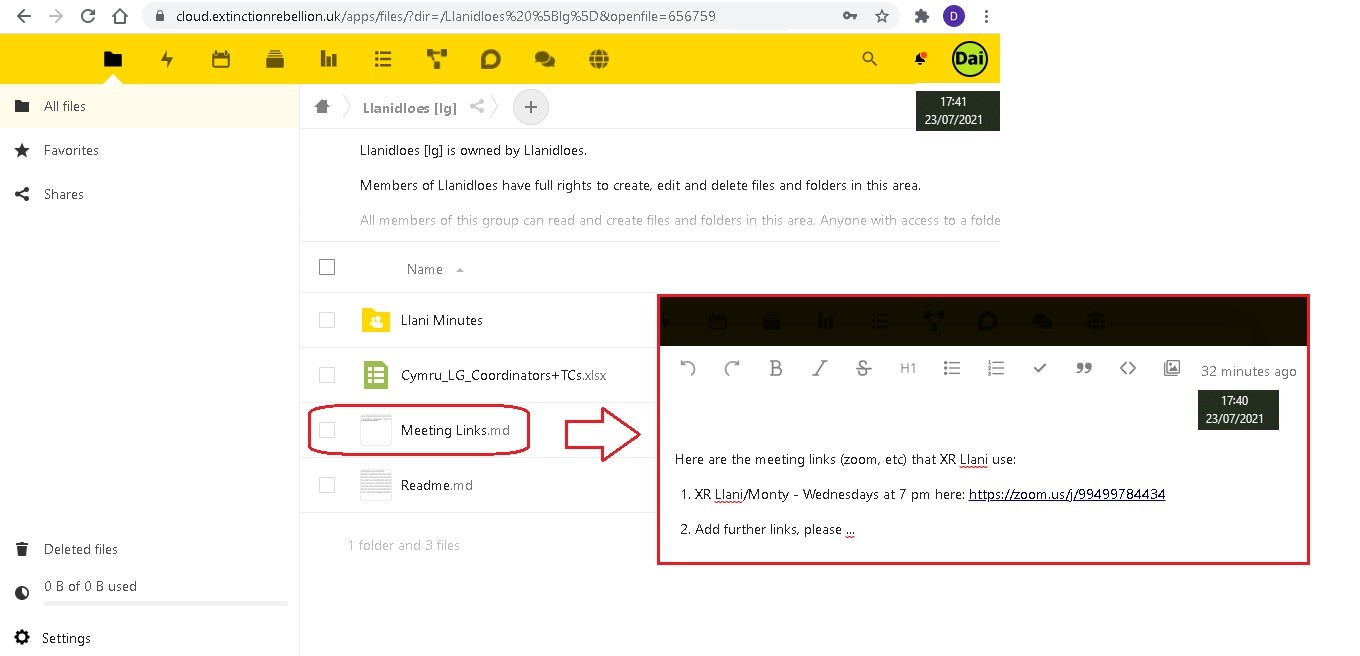](https://rebeltoolkit.extinctionrebellion.uk/uploads/images/gallery/2021-07/XR-Llani_Cloud_Meeting_Link_23Jul21.jpg)
7. For **Group Admins**, it's possible to add your group's Zoom Meeting Link URL to your **Hub Group's Contact Info**, which is displayed on the **Hub Group Page**. Additionally, you can add a link for your group's Meeting Agenda/Minutes for **Members Only** when members select the Hub Group from the **My XR Groups** option from the **Hub Landing Page**. Note that you may want to use the **Markdown Format** for these hyperlinks, as shown below:
[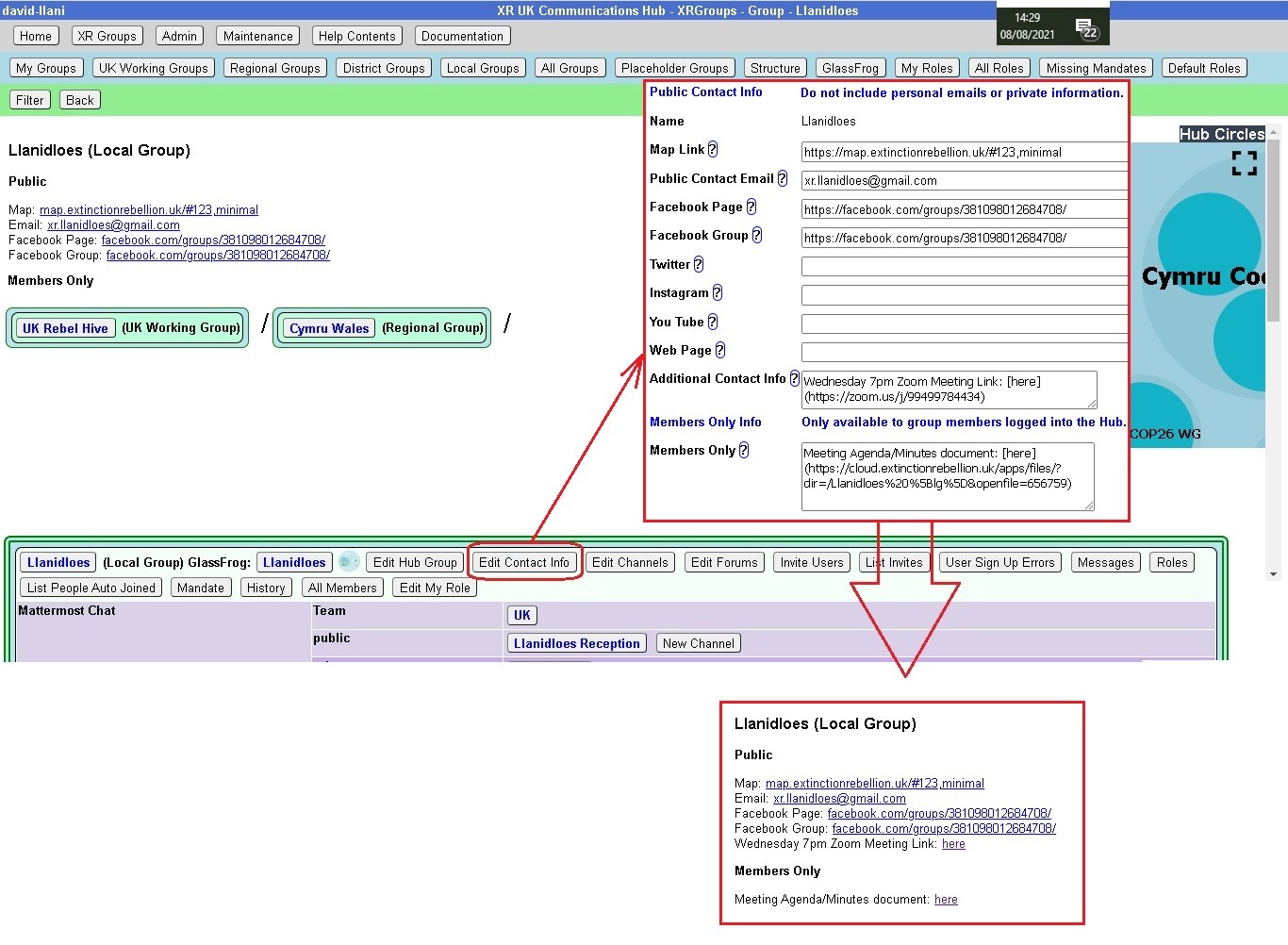](https://rebeltoolkit.extinctionrebellion.uk/uploads/images/gallery/2021-08/XR-Llani_Add_Meeting_Link_08Aug.jpg)](https://rebeltoolkit.extinctionrebellion.uk/uploads/images/gallery/2023-04/scaled-1680-/image-1681289551423.png)](https://rebeltoolkit.extinctionrebellion.uk/uploads/images/gallery/2023-04/image-1681289551423.png)
Click the edit pencil to change the information:
[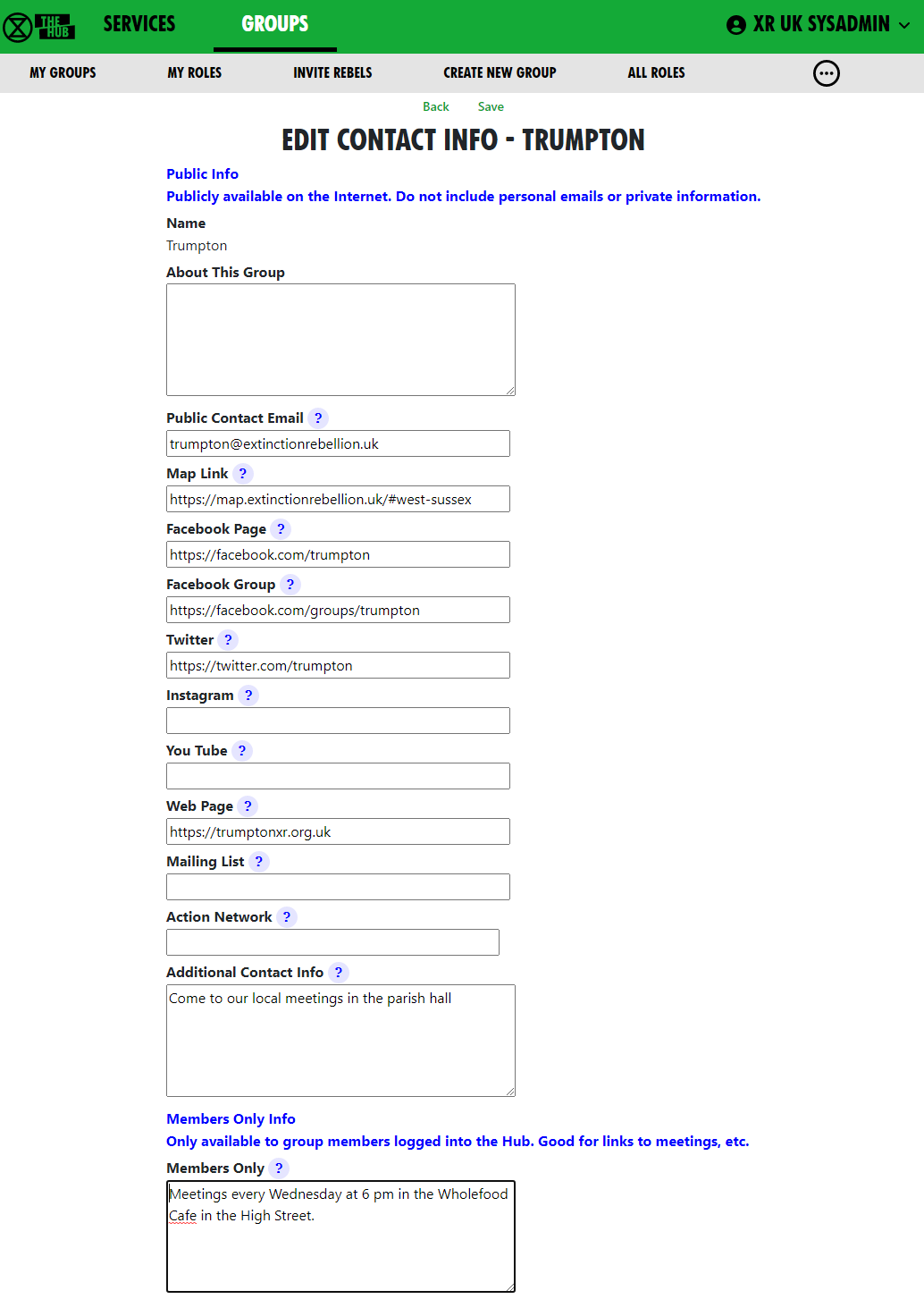](https://rebeltoolkit.extinctionrebellion.uk/uploads/images/gallery/2023-04/scaled-1680-/image-1681226346059.png)](https://rebeltoolkit.extinctionrebellion.uk/uploads/images/gallery/2023-04/scaled-1680-/image-1681226346059.png)
Note also that for a zoom meeting, you may need to organise a **Waiting Room** function, which will enable the **Zoom Meeting Host** to review participants on entry.
**Getting the message across**
Don't forget that with any meeting link back up(s) that may be implemented, for your Hub Group, the advice on where to find these links must be known to your members, either documented or part of your group's on-boarding and training.
# Library (UK Cloud)
#### What is it?
The Library is a shared read-only area for all Rebels on UK Cloud. You can view and download documents, images, and other files from the Library but you **do not upload material direct** to the Library.
The Library contains folders for all XR UK groups who want them. There are also some common folders that cut across Working, Local, Regional groups.
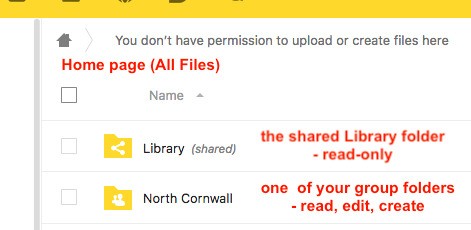\
#### How to find files in the Library
You will find the [Library](https://cloud.extinctionrebellion.org.uk/index.php/f/22859) on your homepage on UK Cloud:
[](https://cloud.extinctionrebellion.org.uk/index.php/f/22859)\
In UKForums under the Getting Started category is an open [Library
Information](https://base.extinctionrebellion.org.uk/c/getting-started/library-info) area.
In each folder in the Library there should be an `About this folder.md` text document containing details of what it contains.
Files will also be tagged and indexed and you can search for a file by tag.
#### Who looks after the Library?
\
There is a small Librarians group tasked with cataloguing and indexing
the Library - this task will take some considerable time and effort as
a vast quantity of disorganised material has been imported from the old
Basecamp Library and Google Docs. If you would like to help with this,
please [join the Library Reception
Forum](https://base.extinctionrebellion.org.uk/g/librarians) in UK
Forums and ask in there.
#### How to set up a group folder in the Library
If your group has relatively static files that you want to share read-only with the entire movement then you need a folder in the [Library](https://cloud.extinctionrebellion.org.uk/index.php/f/22859) on UK Cloud.
Everything in the Library is visible read-only to all Rebels with access to UK Cloud.
Groups can have a folder in the Library area which they can manage themselves - create any subfolders and files you want to share in there. The group library folder can either have full read-write access for all members of the group that owns it, or you might prefer to appoint a librarian(s) from the group to manage it on the group’s behalf.
To get a Library folder for your group simply request one by posting in the [Library Reception](https://base.extinctionrebellion.org.uk/g/librarians/) on UK Forum - specify who will be managing it for the group (even if all members of your group have write access to it, it is a good idea to have one or two people who are mandated to curate it) and whether all members of the group will be able to create, update and delete files in there.
#### How to set up a Working Group folder in the Library
If your WG is likely to produce documents to publish to the whole of XRUK or to curate resources for the whole of XRUK then you can request a Library area. At present this is done by contacting the Librarians directly through their [Reception Forum](https://base.extinctionrebellion.org.uk/g/librarians/) on UK Forums or through their [Reception Channel](https://organise.earth/uk/channels/libraryreception) on Mattermost.
If your group does wish to have Library space in addition to their own private space, then they need to be aware that they will be completely responsible for what is published there. It would be a good idea to identify one or two individuals who will act as librarians for the group and manage the group’s folder. If the group is producing a lot of material, then it would be sensible for at least one person to join the Librarian’s Working Group.
When you request a Library area for your group, the Librarians will create a new folder in the Library and share it back as an editable (read-write-create-delete) area.
If you wish to have the group’s Library folder curated by one or two named individuals, then let the Librarians know and the folder will be share as editable only with them. Other members of the group will be able to find it in the normal way through the Library shared folder.
If the group does not have willing help to curate their area, then the editable share will be made with the whole group and all members of the group will be able to copy or move files to the folder and edit what is there – including creating sub-folders etc.
For a small Working Group where all members are active and know what they are doing this probably makes sense; For a larger diverse group, such as a Local or Regional Group, then it makes more sense to have a few individuals able to manage their Library area. If the area is open to all your members then it becomes very easy for people to make mistakes and create or delete material in error.
#### How do I add files to the Library?
Here is what the All Files home page looks like for a user who is a member of a local group (North Cornwall) which _doesn't_ have its own Library shared area (it uses the Cornwall district one, covering all Cornwall Local Groups) and also of a Working Group (Operations Circle) which does have its own shared library folder:
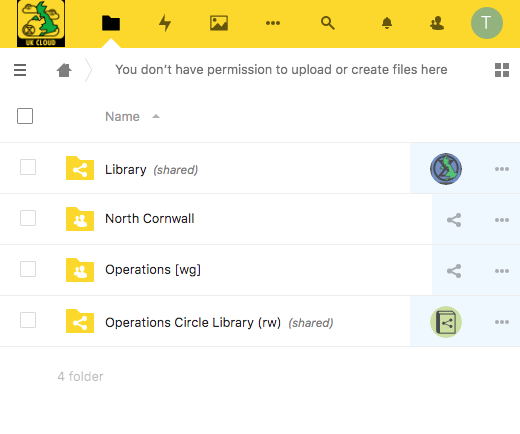\
This user can help manage the group's public library files (either she is
a Librarian for the group, or all the group members can manage their
public library files)
- 'Library _(shared)_' folder is the full public Library. It is
read-only.
- 'North Cornwall' folder is the Local Group's private area - the
user will have full rights in there.
- 'Operations \[wg\]' folder is the working group private folder -
the user will also have full rights in there.
Many Groups will not actually need their own Library folder but can more
usefully have their material published by a parent organisation. This
would particularly apply to Local Working Groups who, if they are
generating material of interest right across XRUK would be better served
by having it posted in the National Working Group area.
This may also apply to Local Groups, who may be better using the
Regional or District area in the Library rather than creating their own
silo buried deep in an obscure corner of the Library.
**Remember that the Library is intended for material of use to all XRUK
members.**
For files that are only of Local or Working Group interest then there is
no need to use the Library - all members of the group will be able to
use the group's private file area, and it is easy to share files (or
even folders) with a few individuals outside the group by creating named
share links to your private area.
#### What can I put in the Library?
You must **NOT** post anything in the Library which contains personal
information (unless you have the express permission in electronic format
from every individual identified for each specific publication). This
includes names, email addresses, postcodes, phone numbers.
You must not use the Library to share non-XR documents (but you can
share external links).
You must not use the Library to share potentially compromising details
of action plans.
Be very careful when posting in your group's Library folder -
only post material which your group has ownership of and
responsibility for. Do NOT duplicate material that is elsewhere in the
Library. If you wish to include files from another group in your
Library area then save the URL of the target file in your Library
folder - use the "Create Link" option on the \[+\] menu.
In general, for material that you want people to be able to view online without needing to edit, and that is not frequently changing (updates less than weekly) then it is preferred to save in PDF format.
This allows easy online viewing on all devices without any special software and with a low overhead on the server.
Keep the master file in your group private file area and save a PDF copy to place in the Library.
For material that is rapidly changing, or that is a resource for others to download and use, then you may choose to save in office (docx, xlsx, pptx) or image (jpg, png) formats.
In these cases it is recommended that you still keep a master version in your group private area and simply save a copy to the Library as and when it is updated.
If you wish to use other formats you can - but please be aware of accessibility issues.
If you have files in a specialist format it may be more appropriate to keep them in your private file area and share links to the files from there with those who need or request access.
# Data Planning Impact Assessments
### **Data planning for Personal Data in XRUK**
##### **What is this document for?**
- For training and awareness if you plan to gather Personal Data for something new
- Checking how you use Personal Data already
- Thinking through the Personal Data you need for a project - i.e. “Data Planning”
##### **Why do this?**
A good Data Plan will be clear about why, and how, we process individual’s data within our principles and values, and meet our legal, practical and financial constraints.
We check if we need a formal “Data Protection Impact Assessment” (DPIA)
- so we check the risks of having the Data - and if that is justified,
- we reduce the risks of us having the Data where possible, and
- to meet our broader Data Protection legal obligations.
And we would do this even without the legal obligations - if we are trusted with Personal Data, we need to respect the people who have trusted us with that.
**Use this document if you**
1. plan to get Data about individuals
2. maintain processes which use Data about individuals
3. want to collect Data about individuals in a different way
4. want to change how some Data is used,
5. are the GDPR champion in a circle, or group which has Data about individuals, so you know when a Data Plan is needed
**Who can see Data Plan?**
A “data subject” can request to see the Data Protection Impact Assessment (DPIA) if one is created. So when you are writing a Data Plan or DPIA – keep the language simple and clear.
**Background**
- The Information Commissioners Office (ICO) has got a very detailed website. The page about data gathering is a very good … and long. The “At a Glance” section is several pages long, the “In Brief” is also several pages, and if you really want the detail then there are several more documents and pages. **(More info & link in the “Do we need to do a DPIA?” section of the Data Plan - please see the link to the Data Plan below.)**
- Doing this type of Data Planning is part of the General Data Processing Regulations (GDPR), part of UK law, and covers organisations including XR UK.
- The ICO only cares about Personal Data - information that relates to an identified or identifiable individual. (If you have Data about non-personal things, some of this Data Planning may help but isn’t a requirement.)
- “Processing” is doing anything with the Personal Data; collecting, storing, reading, using, deleting.
- We have a duty of care for any Personal Data we collect. In some cases we have to do a “Data Planning Impact Assessment” (DPIA), for processing that is likely to result in a “high risk to individuals”, or certain types of “complex processing”. (“Complex processing” is more likely to be something an Insurance company does to your data, to get you a quote - we don’t normally do it.)
- Planning the who, what, how, where, when and why, makes sense, to minimise the harm and maximise the value of the data to XRUK.
- We want to take care of each other, and that includes being careful with information about each other, so this is totally in accordance with our XR Principles and Values.
**Training and walk-through**
If this is all new to you, and you think you need to use this information, please ask the GDPR & Security Circle for a walk-through. On Mattermost you can ask any questions on the **[“GDPR & Security Reception Channel”](https://organise.earth/uk/channels/gdprreception)**
**Here's the link to the [Data Plan](https://cloud.extinctionrebellion.uk/s/ZgQ97M7Q9SscJzK) - please read through and follow the steps?**
# GDPR and Personal Data
## What is GDPR?
GDPR stands for General Data Protection Regulation.
It’s the UK version of EU data protection legislation. If we break this law, we risk consequences to the whole organisation and our ability to communicate.
Here's a short 6-minute [video explainer](https://youtu.be/FcIv0zGcZYY) of why GDPR is important to you and XR.
GDPR is about showing respect to rebels. We want to ensure that all rebels’ personal data is treated with respect and protected from misuse. GDPR provides a sensible set of principles that can help us to do that. If you’re collecting or using personal data, the resources here will help you to understand what you need to do.
Our GDPR training deck is packed with exercises to help you remember the core concepts!
##### It's available [here](https://cloud.extinctionrebellion.uk/s/XNKkpYGmWztxRA6).
## What to do next
Planning on getting personal data? Already got personal data? Changing what you do with personal data?
There is a Data Checklist [here](https://rebeltoolkit.extinctionrebellion.uk/books/online-tools-for-communicating-with-other-rebels/page/data-planning-impact-assessments) to prompt questions about new data collection. Its also a good starting point if you have data and have got to catch up on the planning part.
You can contact us via our [GDPR & Security Reception channel](https://organise.earth/uk/channels/gdprreception) on Mattermost or by email at [dataprotection@rebellion.earth](mailto:dataprotection@rebellion.earth)
# Security Risks of Burnout [Draft]
#### **Is Your Communications Workload Adding to Your Burnout?**
###### **Is that affecting how powerful we are? And is it adding to risks - to people and actions?**
**Do you have any of these communication stress factors?**
- Wanting to set up a new communication space (application, people, rules, purpose) every time someone needs something different, or can’t find another suitable space for the conversation.
* Choosing who to join in the new conversation and getting them to join up.
- Agreeing what the group, purpose, norms are, and explaining that to anyone else who joins.
* Expecting everyone to notice, receive, react and respond to messages in that space.
- Being invited into communication spaces, for a reason stated at that time, but it might not be clear who everyone else is, the overall purpose, people’s roles, and anyway that changes over time.
* Not removing and closing old communication spaces, just in case you need to refer back to it, or find someone you know through that channel.
- Having multiple communication methods, each communication place with its individual technical detail, group details (who controls the group, who is in it, who does what), and purpose.
* Having to remember the context, purpose, unwritten rules, sharing norms for every space.
- Have a way of keeping track of all your important threads - or rely on memory which then fails you when you’re overloaded.
* Taking reasonable caution about secrecy, having to remember who everyone is on each channel and why they are there - if you even know, and deciding what to share, and what to believe about what others share.
- Then work out whether you all need to be together at once (by appointment at an arranged time), or can communicate over time (whenever people respond) and not knowing who is quiet by choice or hasn’t seen what you put out.
**Technical detail:** alert settings, which devices (on computer or phone or both?), group settings (public, private, invitation only), user interface, message retention policy (keep forever or set disappearing messages / delete on schedule).
**Whenever people can respond to communication options:** email, mailing lists, WhatsApp groups, SMS, Messenger, Facebook groups, Signal, Telegram, Mattermost, Zoom signup groups, Eventbrite signup groups, Slack, Teams, Google chat, Google Hangouts, Trello, ... and dozens more.
**By appointment communication options:** WhatsApp, phone calls, Messenger, Big Blue Button, Jitsi, meetings in person, Zoom, Eventbrite signup groups, MeetUp, Google Hangouts, ... and dozens more
**OK - if that’s all part of the problem - what do we do? We can’t just stop!**
We’re all crew - and we’re part of a bigger place which can help hold and support us, through wisdom, love, compassion and care for one another.
SOS gives us a framework of how to organise. All those circles and groups with Internal Coordinators, External Coordinators, with a mandate for action - that’s a great help. Those people are there to help the communication in the team, keep everyone on track and help signpost people to the right place to be. And being connected to the bigger circles by well known paths (see [the Organism](https://organism.extinctionrebellion.uk/?id=0)), often with common tools with other groups, and enough people to sustain those tools longer term.
If we follow the same process for smaller, ad-hoc groups, maybe short lived groups - the common tools, people in roles to take care of the communication basics, (who, what, where, how, why, when) and keep to standard tools whenever possible, we can help each other.
Lowering the communication stress helps people function well, helps security, helps our movement.
Longer term groups can do well on [Mattermost](organise.earth) and the [UK Hub](auth.extinctionrebellion.org.uk). These communication channels are being run with SOS and digital security in mind, and they help manage many of the groups we are part of. They are tailored to keep us connected, with roles, mandates, shared spaces, public channels, all in a big indexed space described externally and internally.
- [Choosing a messaging app for your XR Group](https://rebeltoolkit.extinctionrebellion.uk/books/online-tools-for-communicating-with-other-rebels/page/choosing-a-messaging-app-for-your-xr-group)
- [How to get onto the UK Hub and Mattermost](https://rebeltoolkit.extinctionrebellion.uk/books/online-tools-for-communicating-with-other-rebels/page/read-this-first)
Short term groups can live on Mattermost and the Hub too - and those groups will also be helped to work within our wider context. Or the holding group can signpost and review the spin-off groups, opening and closing them within the context of the holding circle.
If that sounds less stressful than the 100’s of other channels you have, yes some people now have 100’s of groups! Then consider reorganising, and going back to SOS basics.
Lets use the tools in context of all the communication load we we have as Rebels and take care of other by following the basic guidelines:
📫 XR MESSAGE CHAT GUIDELINES
It's easy to feel overwhelmed with a constant stream of chat group messages. Here are a few guidelines to encourage regenerative posting.
🎯 Be clear about the purpose of the chat, how people join (private invite only or by public link), and the roles of admins/moderators
👁 Add this info to the chat description
❌ Avoid posting sensitive action info which can later be used as evidence
👋🏿 Welcome newcomers and check in with the group
🗣 Answer questions
📌 If using Telegram, pin key messages and keep them updated
🤫 Keep messages short and link out for more info (unless it’s a discussion thread)
👥 Take forward sub-group issues via direct message or temporary small group chats
🙅🏼♂️ Block and report spammers
🥱 If someone keeps posting off-topic messages respectfully ask them to stay on track, or switch to a more suitable channel. If they continue follow-up with them via a direct message, or ultimately consider blocking them from the chat.
📩 Limit re-posting messages on your channel to reduce message overload
♻️ Remind each other of chat etiquette, especially for newcomers
~~~
| | Secure from private companies | Secure from police | Notes |
| --------------- | ------------------------------| ------------------ | ----- |
| Online meetings | | | |
| Zoom | No | No | |
| Pipe | $1 |
~~~
# Telegram: How to remove spammers
#### **Spamming can be an issue with Telegram chats.**
If you receive direct messages [DM] from random people on Telegram saying things such as, 'Hello' or 'Hello, what are the XR groups doing?' or similar - simply report, block and delete immediately. If you engage with a random DM then you'll find yourself in a conversation, the spammer will try to engage you for as long as possible resulting in either asking for money, help with transferring funds or something along those lines.
### **How do spammers get into groups?**
##### If the invite link to a Telegram group chat is public, then anyone can join!
##### If members can share the group's invite link, it can end up anywhere.
**To:**
1. remove someone from a group chat
2. delete all of their messages
3. report them to Telegram (although it's not known if this has an impact).
First, **you need to be an Admin of the chat group.** Please share the workload by making other trusted rebels Admin, after getting their permission to be made an Admin.
You can complete this process either on a phone or by using your laptop/desktop computer to access Telegram.
**Please be aware that some spammers will join the group and quickly change their name to stop you finding and removing them, so try to complete this process quickly.**
- Find where the spammer joined the chat via invite link.
[](https://rebeltoolkit.extinctionrebellion.uk/uploads/images/gallery/2022-09/image-1663163445773.png)
- **On a phone** - tap to the right of their name on the words 'X joined the group **via invite link'.**
- **On a computer** - right click on the words 'X joined the group **via invite link'.**
[](https://rebeltoolkit.extinctionrebellion.uk/uploads/images/gallery/2022-09/image-1663164178915.png)
- Select Delete.
[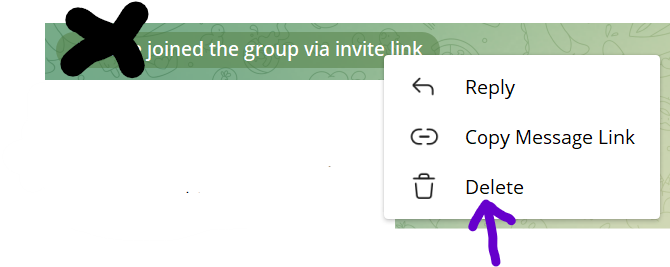](https://rebeltoolkit.extinctionrebellion.uk/uploads/images/gallery/2022-09/image-1663163789663.png)
- Select the 3 tickboxes: Ban user, Report spam and Delete all from X.
[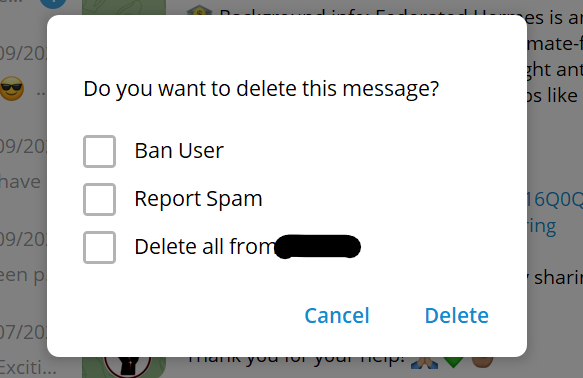](https://rebeltoolkit.extinctionrebellion.uk/uploads/images/gallery/2022-09/image-1663102529955.png)
**If you simply search for a spammer from the member's list and block and report them from there, that only blocks / reports the spammer for yourself rather than the whole group and it also doesn't delete any spam messages they may have posted.**
##### If you want to 'revoke' the current invite link so spammers can't use it to join or share with other spammers, and create a new invite link to be shared with only trusted rebels - again you'll need to be an Admin.
**On a phone:**
- tap the name of the group and then select the pencil icon
[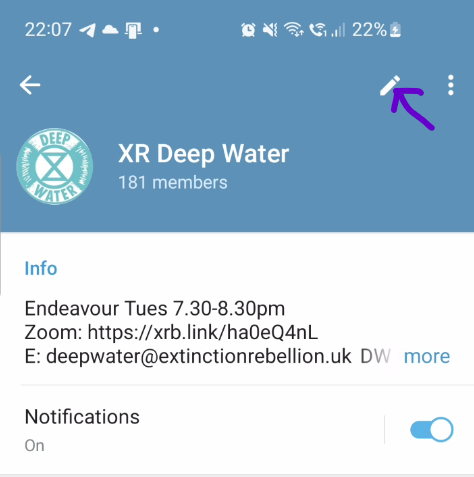](https://rebeltoolkit.extinctionrebellion.uk/uploads/images/gallery/2022-09/image-1663103370649.png)
**On a computer:**
- select the 3 dots and then Manage Group
[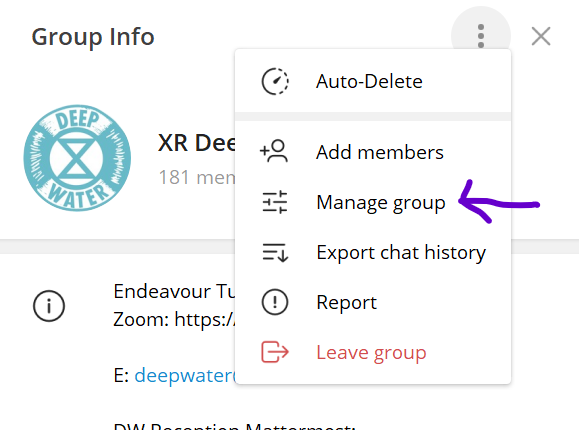](https://rebeltoolkit.extinctionrebellion.uk/uploads/images/gallery/2022-09/image-1663103474639.png)
- select Invite Links
- select the 3 dots to the right of the current Invite Link (it will be called Primary Link on a computer) and choose Revoke Link
- Create a New Link then share that with trusted rebels
**To change Permissions so spammers can't add more spammers/bad agents to your group**
- select Permissions and switch off 'Add Users'
##### **Changing Your Personal Settings**
**Prevent Random People From Adding You to Telegram (Spam) Groups**
- Select Settings - this will be under the 3 horizontal lines
- Privacy and Security
- Groups & Channels
- Who can add me to group chats? Select My Contacts
Although this will mean that only those in your Contacts can add you to Telegram chat groups, you can help speed up the process of getting into chats by adding all trusted rebels to your Contacts.
If your phone number is visible to all, spammers can find this and then add you to spam groups or direct message (DM) you using your number.
**To hide your number:**
- Settings
- Privacy and Security
- Phone Number
- Select either My Contacts or Nobody
- If you select Nobody, you also have the additional option of 'Who can find me by my number' i.e. if a trusted rebel has your number but it isn't in their Contacts, they can search for you on Telegram by using your number.
- Select either Everybody or My Contacts
If you're interested in [Telegram bots](https://core.telegram.org/bots), there are ways to stop spammers using these.
##### **Telegram and Mattermost**
Please bear in mind that XR has Mattermost where we can use channels for chats, a Team's Town Square and Off-Topic for announcements to all Team members and we can build one or two-way bridges between Mattermost channels and Telegram groups/channels.
Using the Hub and Mattermost is more secure than Telegram because:
- Only Group Admins can send out Hub invites to members
- Once the member has accepted their Hub invite they then are added the group's Team and/or Channels on Mattermost
- Group Admins will only send out invites to those they've 'met' either via Zoom or in-person, or because another trusted rebel has passed on the new member's email or handle for an invite.
If you'd like to know more about the Hub, please select this [link](https://rebeltoolkit.extinctionrebellion.uk/books/online-tools-for-communicating-with-other-rebels/page/the-hub-f03)
###### **A bit of fun!**
And while we're on the subject - one of the things that's brought me a moment of joy recently... I've found that when I get joined to a spam group, instead of immediately reporting and leaving the group, I spend one minute sending hundreds of XR stickers and gifs into the group. And invariably **I get removed for spamming!**
If you want to find the XR sticker pack and gifs.
- tap the emoji icon
- select the sticker or gif icon
- use the magnifying glass to search for extinction rebellion (try XR if using the long name doesn't work for you).
- select the stickers and gifs and send the spam group some XR love!
[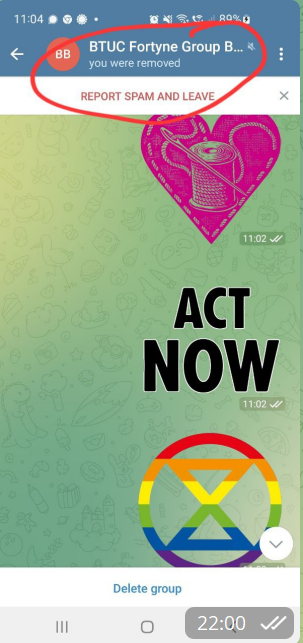](https://rebeltoolkit.extinctionrebellion.uk/uploads/images/gallery/2022-09/image-1663102878063.png)